> ## Documentation Index
> Fetch the complete documentation index at: https://docs.openlayer.com/llms.txt
> Use this file to discover all available pages before exploring further.
# Create API keys
> Issue, use, disable, and revoke the keys your apps send to the gateway
API keys are what your apps and teammates send with every request. They're separate from the
**admin key**, which only you use to sign in to the portal. Hand out API keys freely, but never
share the admin key or ship it in an app.
Every API key starts with `sk-olga-`. The gateway stores only a hash of it, so a key can't be
recovered after it's created. If one is lost or leaked, delete it and issue a new one.
## Create a key
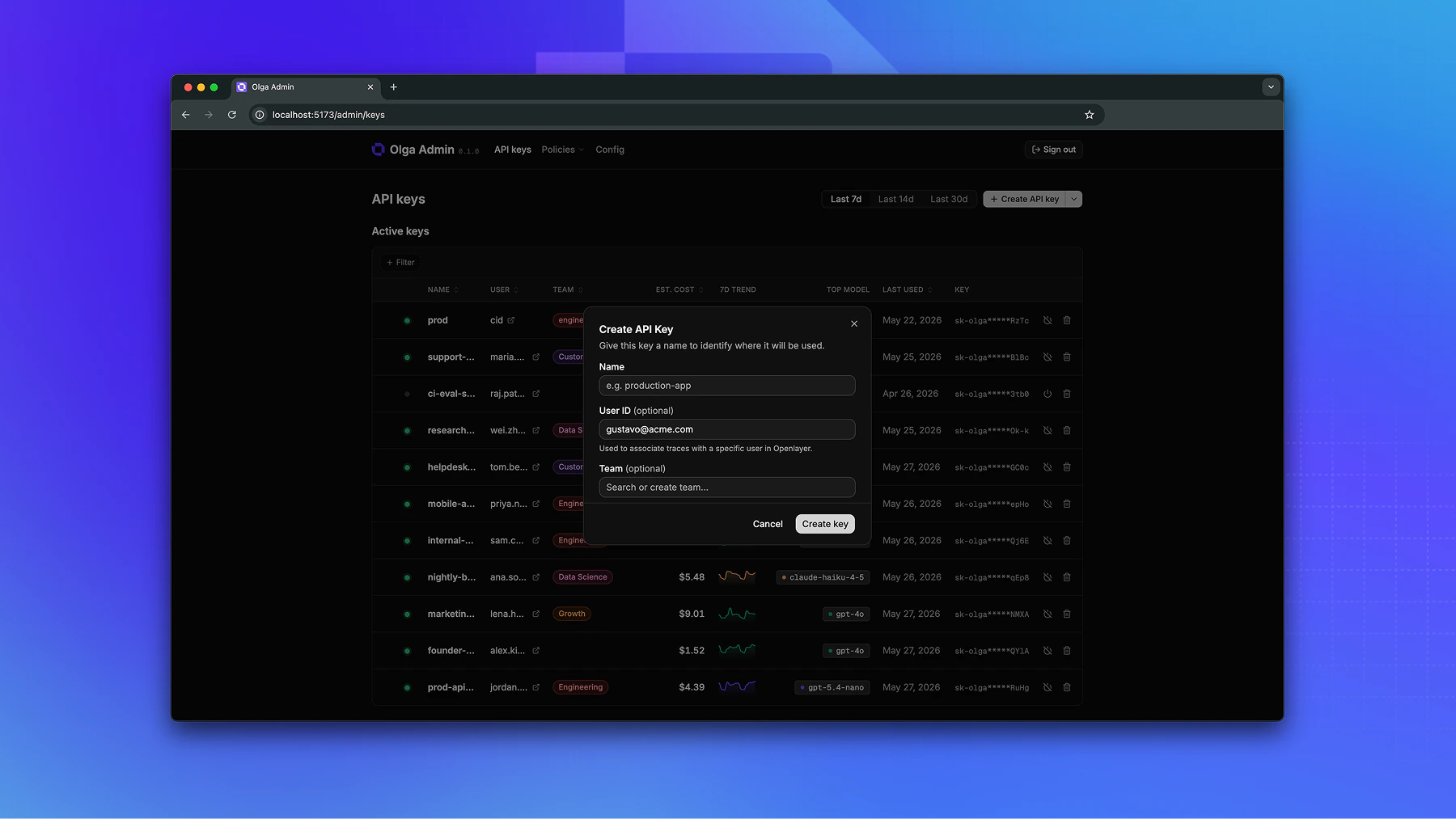
On the **API keys** page, create a key and fill in:
* **Name**: where the key will be used, such as `production-app`. Required.
* **User ID** (optional): associates this key's traces with a specific user in Openlayer. See [Observability](/gateway/observability).
* **Team** (optional): groups the key so it shares a team's usage limits and guardrails. See [Teams](/gateway/teams).
Copy the key when it appears. It's shown **only once**.
 ## Use a key
Send the key with each request, either as `Authorization: Bearer sk-olga-...` or as
`X-Api-Key: sk-olga-...`. Standard OpenAI and Anthropic SDKs send the `Authorization` header for
you, so pointing a client at the gateway is enough. See
[Make your first request](/gateway/make-your-first-request).
## Disable or delete a key
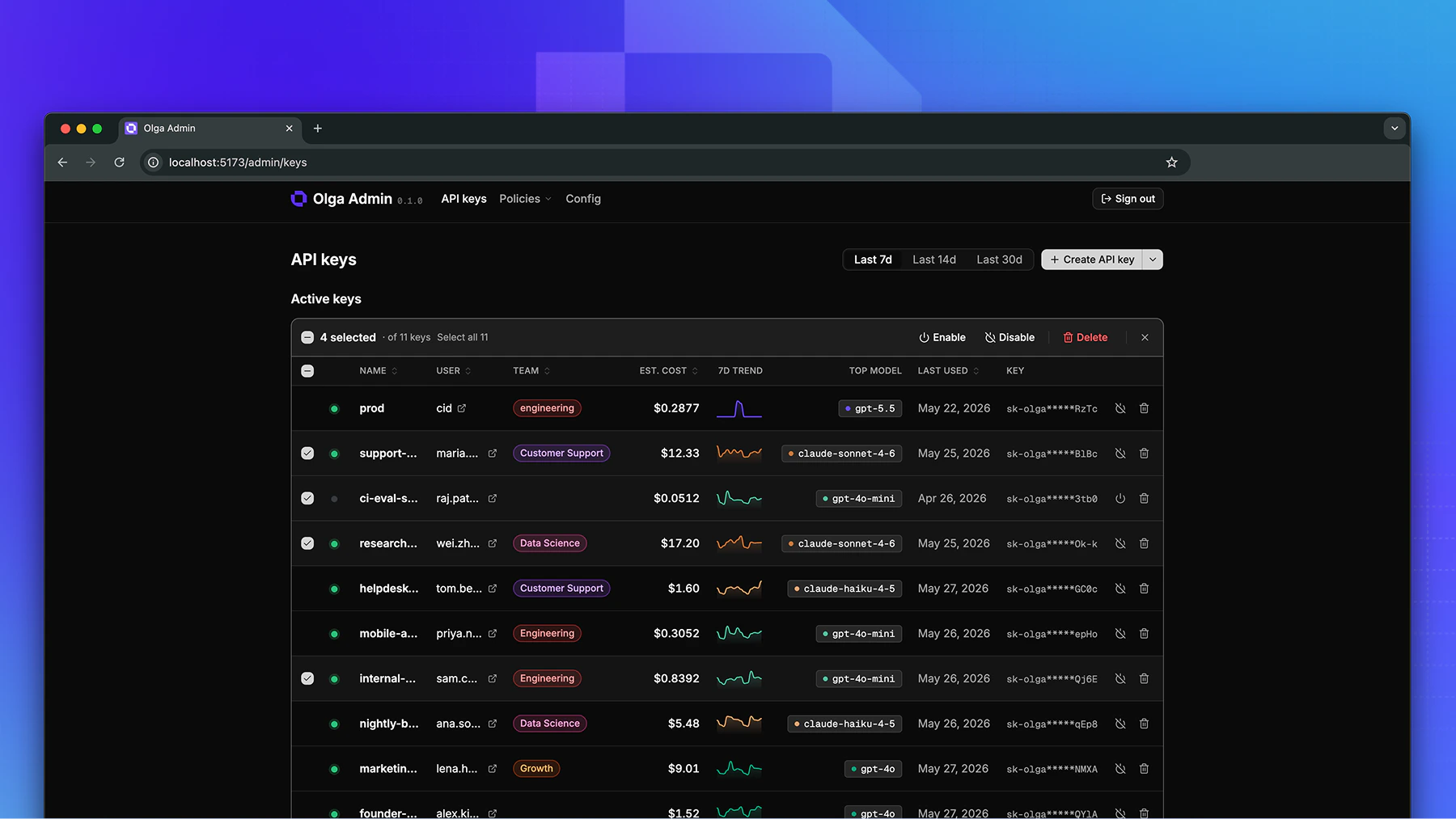
* **Disable** turns a key off without removing it. Requests using it are rejected until you re-enable it. Use this to pause a key or investigate suspicious traffic.
* **Delete** removes the key for good. Requests using it return `401`, and it can't be restored.
You can also select several keys at once to disable, delete, or move them to a team.
## Use a key
Send the key with each request, either as `Authorization: Bearer sk-olga-...` or as
`X-Api-Key: sk-olga-...`. Standard OpenAI and Anthropic SDKs send the `Authorization` header for
you, so pointing a client at the gateway is enough. See
[Make your first request](/gateway/make-your-first-request).
## Disable or delete a key
* **Disable** turns a key off without removing it. Requests using it are rejected until you re-enable it. Use this to pause a key or investigate suspicious traffic.
* **Delete** removes the key for good. Requests using it return `401`, and it can't be restored.
You can also select several keys at once to disable, delete, or move them to a team.
 ## Track a key's usage
Open any key to see its requests, tokens, and estimated cost over time. See
[Usage & cost](/gateway/usage-and-cost).
Everything on this page is also available on the gateway's admin API, so you
can automate key issuance and revocation.
## Track a key's usage
Open any key to see its requests, tokens, and estimated cost over time. See
[Usage & cost](/gateway/usage-and-cost).
Everything on this page is also available on the gateway's admin API, so you
can automate key issuance and revocation.