> ## Documentation Index
> Fetch the complete documentation index at: https://docs.openlayer.com/llms.txt
> Use this file to discover all available pages before exploring further.
# Set usage limits
> Cap spend, requests, or tokens per key or team, enforced on every request
A **usage limit** is a cap the gateway enforces in real time. Think of it as a **budget** for a key
or team. When usage reaches the cap, the gateway stops forwarding requests from that key or team.
## Create a usage limit
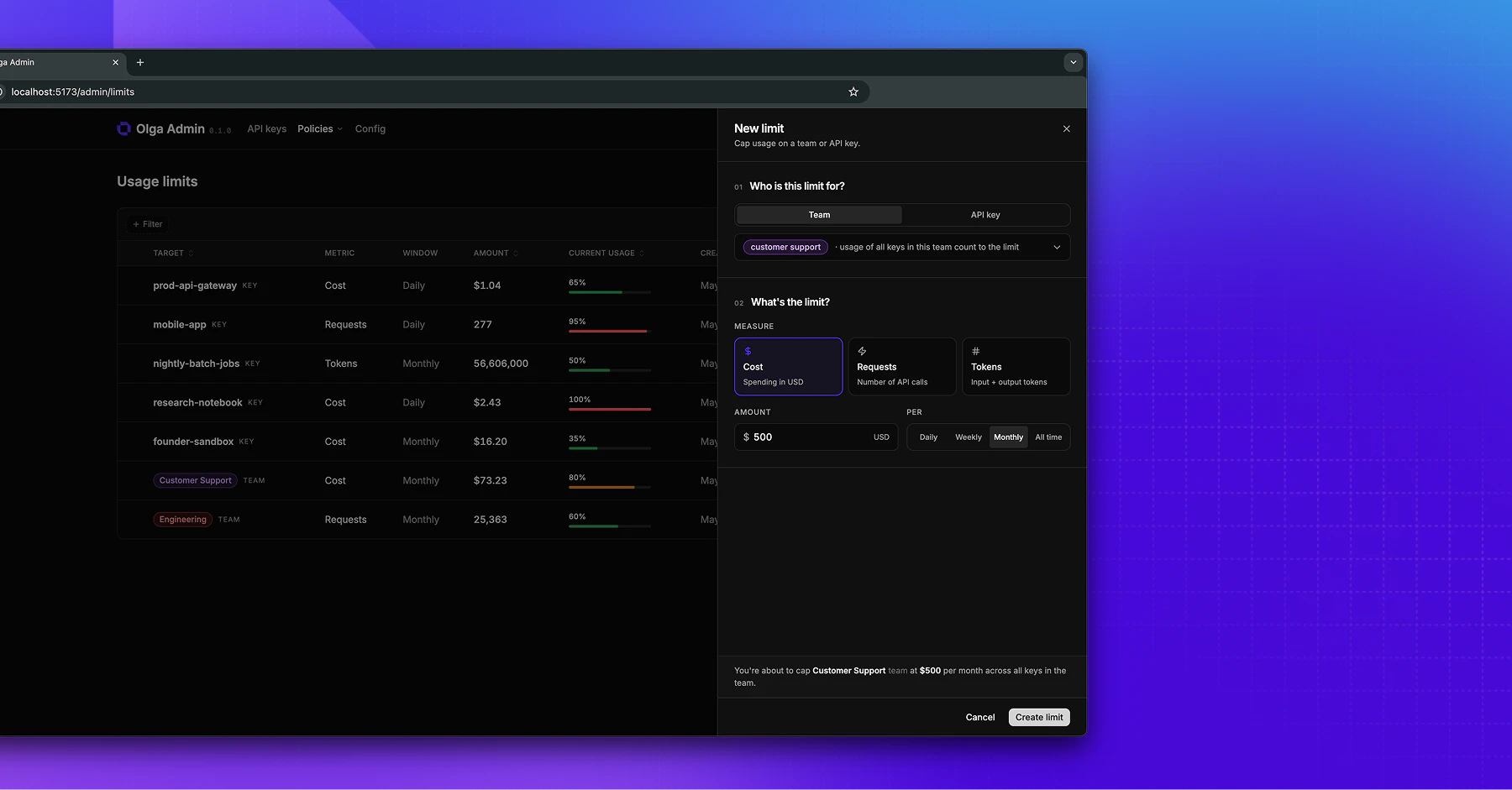
On the **Usage limits** page, add a limit and choose:
* **Applies to**: a single **key** or a whole **team**.
* **Metric**: **Cost** (USD), **Requests** (number of API calls), or **Tokens** (input plus output).
* **Window**: how often the cap resets.
* **Daily** resets at midnight UTC.
* **Weekly** resets Monday UTC.
* **Monthly** resets on the 1st.
* **All time** never resets.
* **Threshold**: the number to cap at, such as `500` for a \$500 monthly cost limit.
 ## What happens at the limit
Once usage in the current window reaches the threshold, every further request from that key or team
is refused with **429 Too Many Requests** and is not sent to a provider. Usage starts fresh at the
beginning of the next window.
Callers see the 429 right away, so build a fallback or a clear error message into any app that might
hit a cap.
## Key limits and team limits
A usage limit targets either one key or a team:
* A **team limit** caps the combined usage of every key on the team.
* A **key limit** caps that one key, on top of any team limit.
When both exist, a request is blocked as soon as either cap is reached. See [Teams](/gateway/teams).
## Bake limits into invites
You can attach usage limits to an [invite](/gateway/invites), so a new key arrives already capped before
its first request.
## Watch usage against a limit
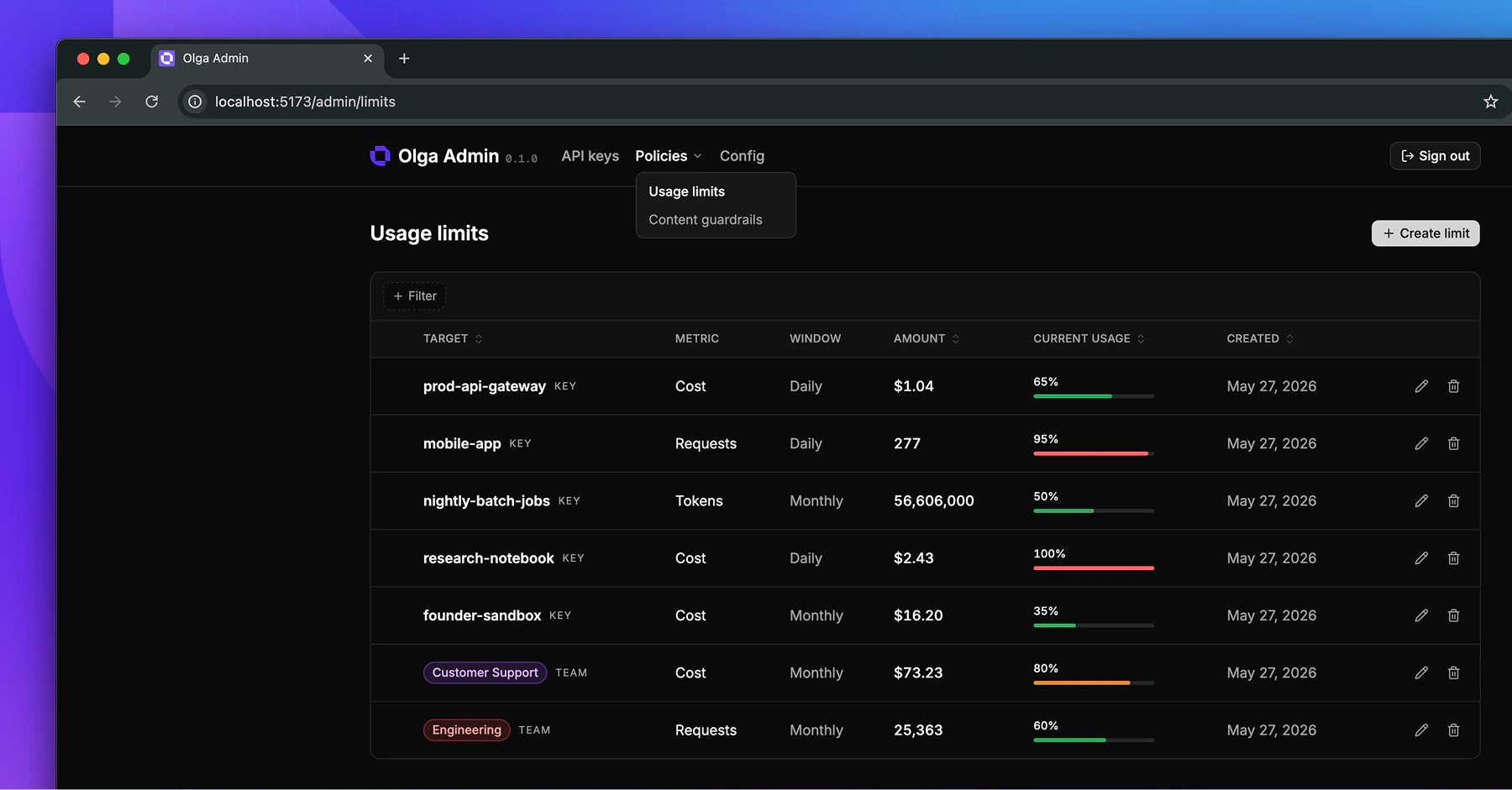
The Usage limits page shows each limit's current usage against its threshold. See
[Usage & cost](/gateway/usage-and-cost) for the full picture.
## What happens at the limit
Once usage in the current window reaches the threshold, every further request from that key or team
is refused with **429 Too Many Requests** and is not sent to a provider. Usage starts fresh at the
beginning of the next window.
Callers see the 429 right away, so build a fallback or a clear error message into any app that might
hit a cap.
## Key limits and team limits
A usage limit targets either one key or a team:
* A **team limit** caps the combined usage of every key on the team.
* A **key limit** caps that one key, on top of any team limit.
When both exist, a request is blocked as soon as either cap is reached. See [Teams](/gateway/teams).
## Bake limits into invites
You can attach usage limits to an [invite](/gateway/invites), so a new key arrives already capped before
its first request.
## Watch usage against a limit
The Usage limits page shows each limit's current usage against its threshold. See
[Usage & cost](/gateway/usage-and-cost) for the full picture.