> ## Documentation Index
> Fetch the complete documentation index at: https://docs.openlayer.com/llms.txt
> Use this file to discover all available pages before exploring further.
# Set up the gateway
> Sign in to the admin portal, connect a provider, and issue your first API key
This guide is for the **operator** running the gateway. By the end you'll have a provider connected
and an API key you can hand to an app or a teammate.
You'll need the **admin portal URL** and an **admin key**. You get both when
we set up your gateway. Don't have one yet? [Reach out to
us](mailto:support@openlayer.com) and we'll get one running for your team.
Open `https://your-gateway.example.com/admin` and enter your admin key.
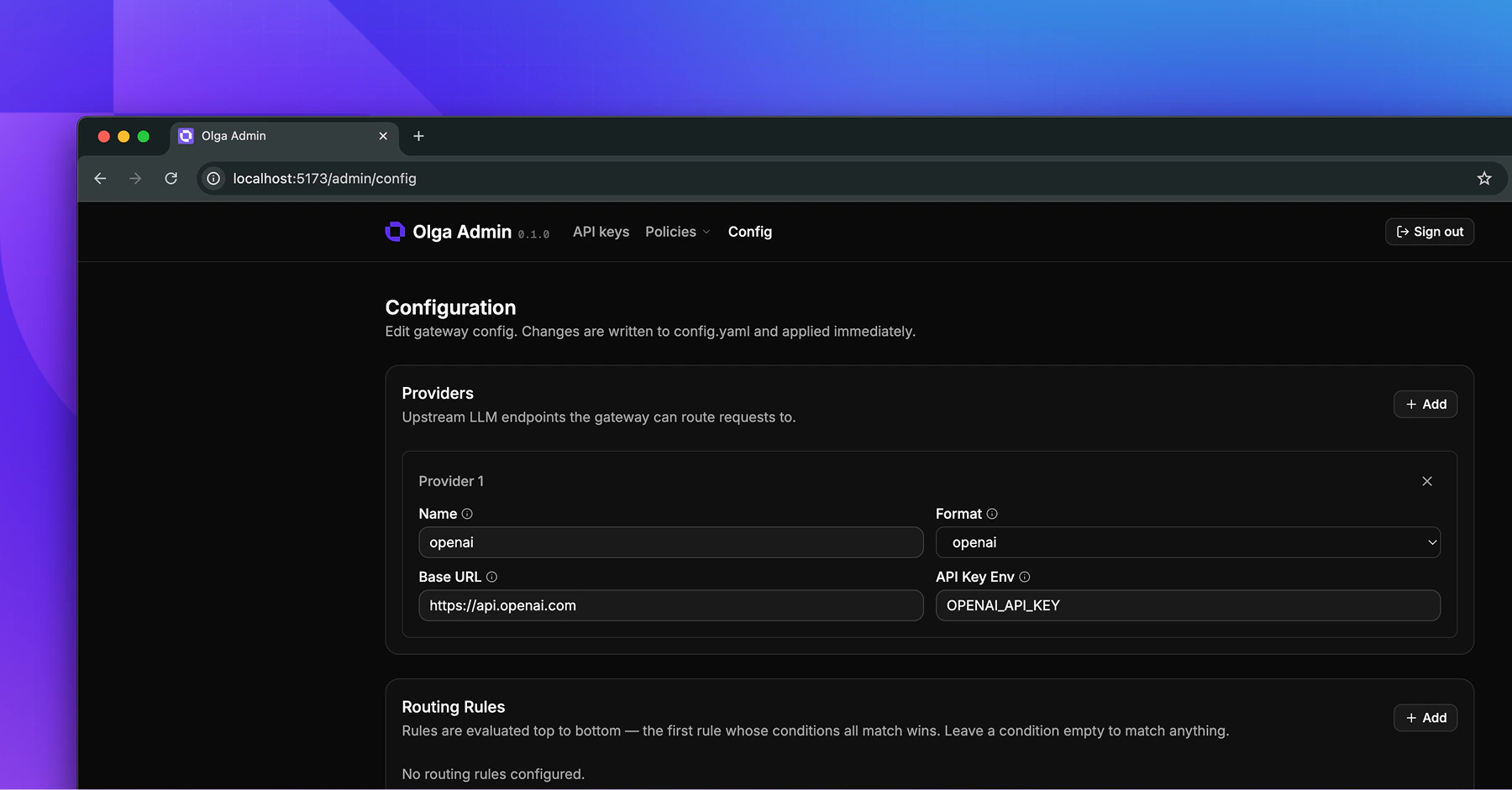
Go to **Config** and add a provider under **Providers**:
* **Name**: a label you choose, such as `openai`.
* **Base URL**: the provider's API root, such as `https://api.openai.com`.
* **Format**: one of `openai`, `anthropic`, or `azure_openai`.
* **API key env var**: the name of the environment variable that holds the provider's key, such as `OPENAI_API_KEY`.
The provider's secret lives in an environment variable on the gateway host, not in the portal.
We set these during deployment, so coordinate with us if you need a new one. For every option,
including Azure and routing between providers, see [Connect providers](/gateway/connect-providers).
Save your changes. The gateway picks up the new config right away, with no restart.
 Go to **API keys** and create a key. You can give it a name, and attach a user or a team so you
can track and govern it later.
Copy the key when it appears. It's shown **only once** and starts with `sk-olga-`. Store it
somewhere safe.
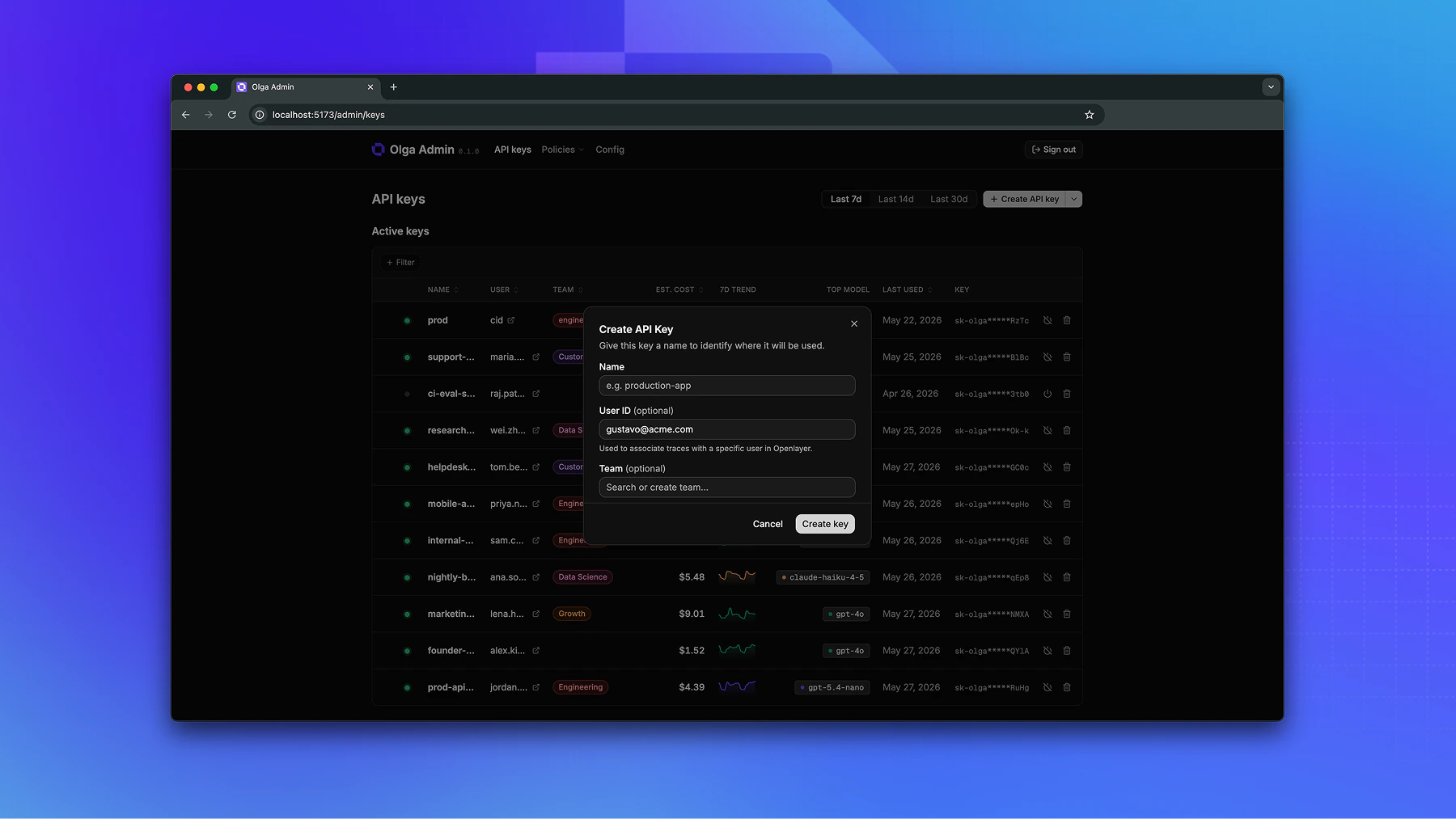
Go to **API keys** and create a key. You can give it a name, and attach a user or a team so you
can track and govern it later.
Copy the key when it appears. It's shown **only once** and starts with `sk-olga-`. Store it
somewhere safe.
 ## Hand it off
Give the developer two things:
* The **gateway base URL**, such as `https://your-gateway.example.com/v1`.
* The **API key** you just created.
That's everything they need to send traffic. Point them at
[Make your first request](/gateway/make-your-first-request).
## Next steps
Now that traffic can flow, decide what the gateway should enforce on it.
Cap spend, requests, or tokens per key or team.
Block or redact PII and stop prompt injection.
## Hand it off
Give the developer two things:
* The **gateway base URL**, such as `https://your-gateway.example.com/v1`.
* The **API key** you just created.
That's everything they need to send traffic. Point them at
[Make your first request](/gateway/make-your-first-request).
## Next steps
Now that traffic can flow, decide what the gateway should enforce on it.
Cap spend, requests, or tokens per key or team.
Block or redact PII and stop prompt injection.