> ## Documentation Index
> Fetch the complete documentation index at: https://docs.openlayer.com/llms.txt
> Use this file to discover all available pages before exploring further.
# How frameworks map to requirements
> Understand how built-in frameworks translate standard text into actionable rules
Every built-in framework includes a **Documentation** tab that connects the original standard text to the specific rules you need to satisfy in Openlayer. This is the fastest way to answer: "what does Article X actually require us to do?"
## Navigating the Documentation tab
Navigate to **Governance > Frameworks**, click a framework, and open the **Documentation** tab.
The left panel shows a table of contents organized by chapter and article. Clicking any article reveals:
* The **original standard text** on the right
* The **Project scope rules** directly below it — the Openlayer rules that satisfy that article
For each rule, you can see its name, a short description, the percentage of projects currently passing it, and the assigned owners.
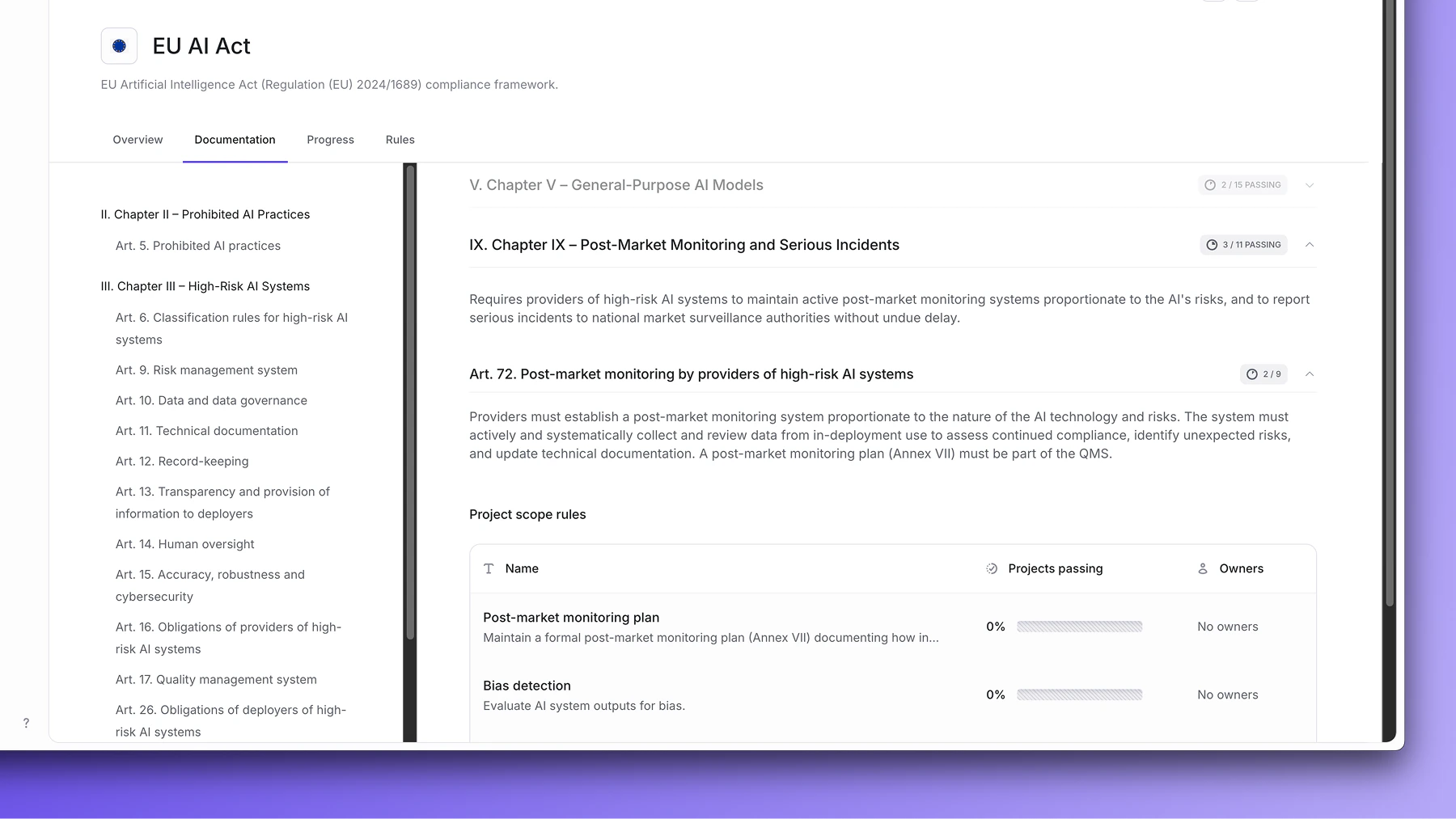 This view lets you trace any compliance requirement back to a concrete action in Openlayer — and see at a glance how your projects are performing against it.
Custom frameworks don't have a Documentation tab. They display the rules list
directly, without the standard text mapping.
Each rule in the documentation is either a platform rule or an evidence-based rule. See [Platform rules](/governance/platform-rules) and [Evidence-based rules](/governance/evidence-based-rules) for details on how each type is completed.
This view lets you trace any compliance requirement back to a concrete action in Openlayer — and see at a glance how your projects are performing against it.
Custom frameworks don't have a Documentation tab. They display the rules list
directly, without the standard text mapping.
Each rule in the documentation is either a platform rule or an evidence-based rule. See [Platform rules](/governance/platform-rules) and [Evidence-based rules](/governance/evidence-based-rules) for details on how each type is completed.