> ## Documentation Index
> Fetch the complete documentation index at: https://docs.openlayer.com/llms.txt
> Use this file to discover all available pages before exploring further.
# Amazon SageMaker
> Learn how to upload models deployed in Amazon SageMaker to Openlayer
This guide explains how to upload **models deployed in Amazon SageMaker** to Openlayer.
## Find the model artifacts in SageMaker
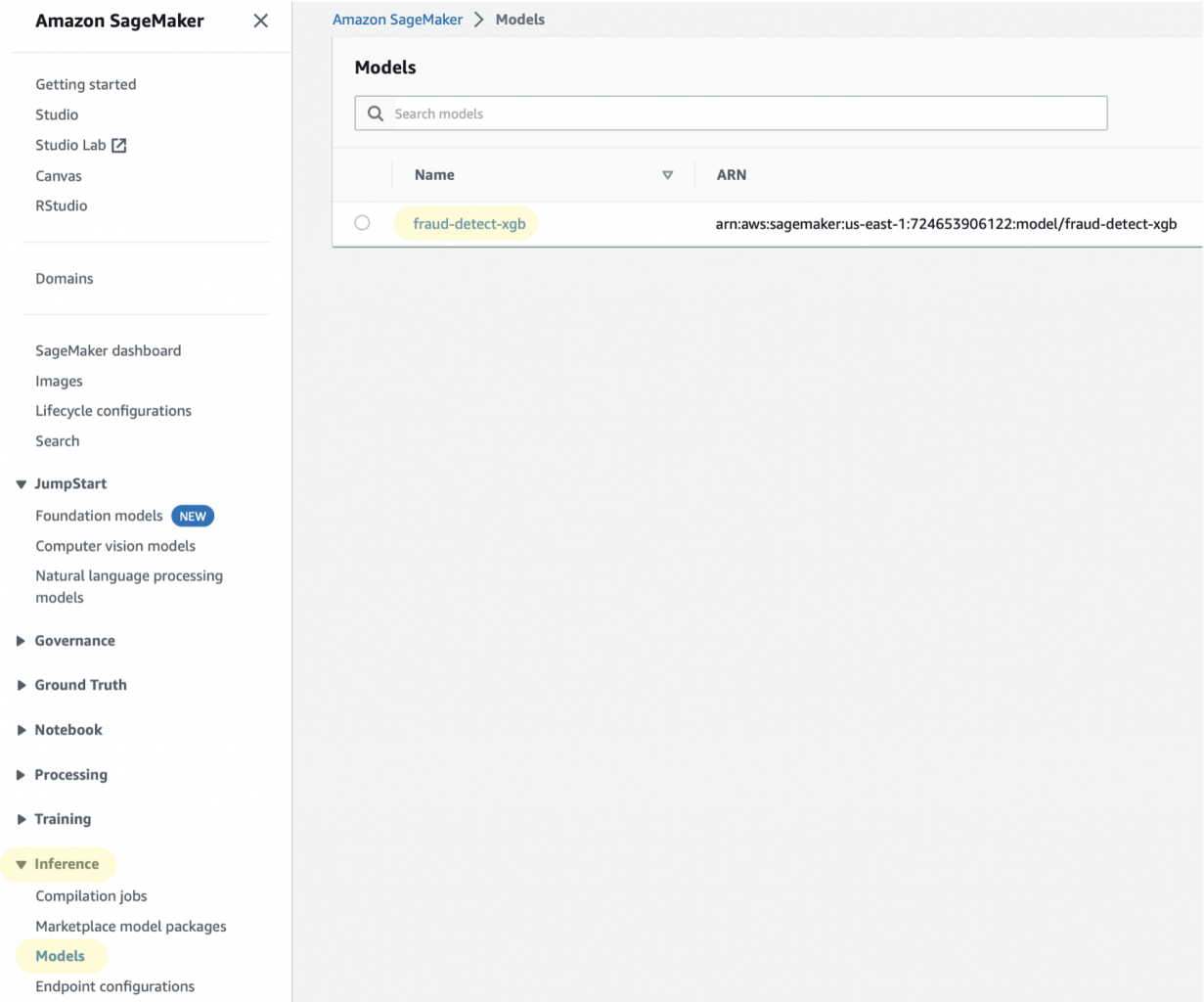
First, you need to find the S3 bucket that contains the model’s artifacts. You can do so by going to "Amazon SageMaker" > "Inference" > "Models", and clicking on your model’s name.
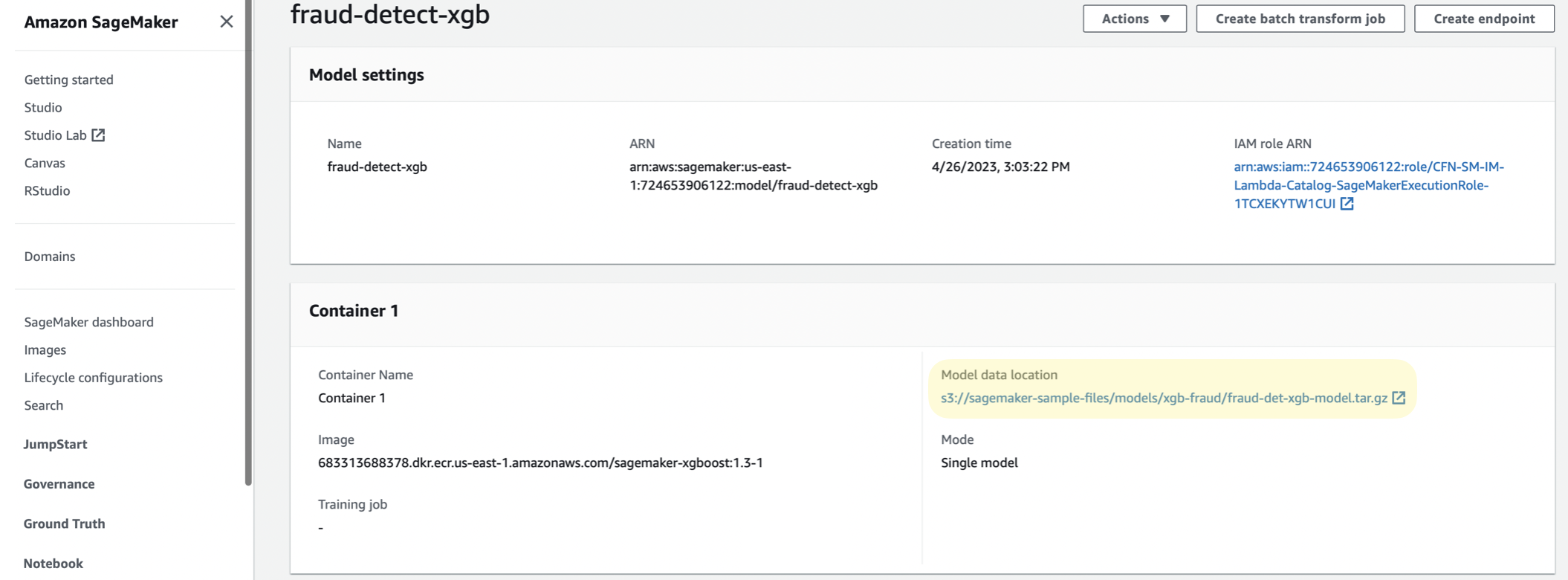
 Then, copy the “Model data location” to your clipboard.
 ## Download the model artifacts
With the model data location in hand, you can use the following code, which downloads the model’s artifacts from S3, saves it to disk, and *untars* the downloaded file.
```python theme={null}
import boto3
import tarfile
# The AWS profile that has access to the S3 bucket
AWS_PROFILE = "your_profile"
# Information about the location of the dataset in the S3 bucket
S3_BUCKET = "bucket_name"
S3_KEY = "path/to/your/model.tar.gz" # This is what you copied from "Model data location"
OUTPUT_FILE = "model.tar.gz"
session = boto3.session.Session(
profile_name=AWS_PROFILE
)
s3 = session.client("s3")
s3.download_file(
Bucket=S3_BUCKET,
Key=S3_KEY,
Filename=OUTPUT_FILE
)
# Untar the downloaded file
tarfile.open(OUTPUT_FILE).extractall("model")
```
## Upload to Openlayer
Once the model’s artifacts are saved to disk, you can proceed as usual to upload a **full model** to the Openlayer platform.
## Download the model artifacts
With the model data location in hand, you can use the following code, which downloads the model’s artifacts from S3, saves it to disk, and *untars* the downloaded file.
```python theme={null}
import boto3
import tarfile
# The AWS profile that has access to the S3 bucket
AWS_PROFILE = "your_profile"
# Information about the location of the dataset in the S3 bucket
S3_BUCKET = "bucket_name"
S3_KEY = "path/to/your/model.tar.gz" # This is what you copied from "Model data location"
OUTPUT_FILE = "model.tar.gz"
session = boto3.session.Session(
profile_name=AWS_PROFILE
)
s3 = session.client("s3")
s3.download_file(
Bucket=S3_BUCKET,
Key=S3_KEY,
Filename=OUTPUT_FILE
)
# Untar the downloaded file
tarfile.open(OUTPUT_FILE).extractall("model")
```
## Upload to Openlayer
Once the model’s artifacts are saved to disk, you can proceed as usual to upload a **full model** to the Openlayer platform.