> ## Documentation Index
> Fetch the complete documentation index at: https://docs.openlayer.com/llms.txt
> Use this file to discover all available pages before exploring further.
# Track users and sessions
> Track multi-turn journeys and individual behavior in your Openlayer traces
By default, Openlayer treats each request as a standalone trace.
With **users** and **sessions**, you can connect those traces into journeys —
making it easier to see **how people interact with your system across time**.
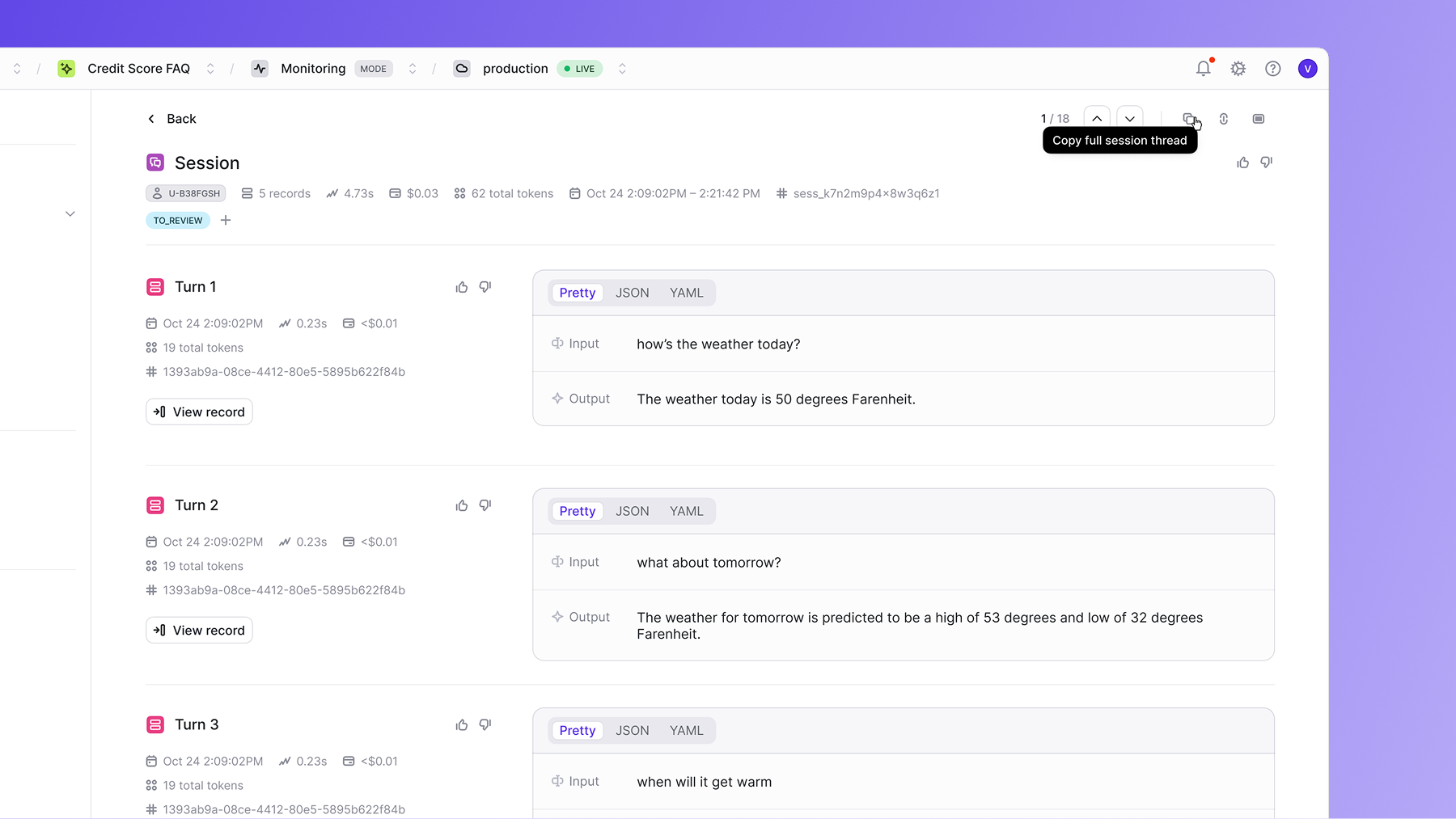 A **session** represents a series of related interactions (e.g., a multi-turn chatbot conversation).
While a **user** is the individual behind one or more sessions, identified by an ID.
In the Openlayer UI, you can filter and group traces by `session_id` or `user_id` to:
* Inspect full conversation threads.
* Track user journeys end-to-end.
* Identify problematic patterns tied to specific users or flows.
## How add session and user
There are two ways to attach user/session information:
### 1. Set default context
Set the context once (e.g., in middleware) and all traces
created in that request will inherit it.
```python Python - Middleware setup theme={null}
from openlayer.lib import set_user_session_context, clear_user_session_context
# In your middleware or request handler
def handle_request(request): # Extract user and session from your authentication system
user_id = get_user_id_from_request(request)
session_id = get_session_id_from_request(request)
# Set default context for all traces in this request
set_user_session_context(user_id=user_id, session_id=session_id)
try:
# Your application logic with traced functions
result = process_user_request(request.data)
return result
finally:
# Clean up context when request is complete
clear_user_session_context()
```
```python Python - Flask example theme={null}
from flask import Flask, request
from openlayer.lib import set_user_session_context, clear_user_session_context, trace
app = Flask(__name__)
@app.before_request
def before_request():
# Extract from headers, cookies, or JWT tokens
user_id = request.headers.get('X-User-ID')
session_id = request.headers.get('X-Session-ID')
if user_id or session_id:
set_user_session_context(user_id=user_id, session_id=session_id)
@app.after_request
def after_request(response):
clear_user_session_context()
return response
@app.route('/chat')
@trace()
def chat_endpoint():
# This trace will automatically include user_id and session_id
user_message = request.json.get('message')
response = generate_chat_response(user_message)
return {'response': response}
```
### 2. Override context for specific traces
If you only want to set context for certain traces, use `update_trace_user_session()`.
```python Python - Override Context for Specific Traces theme={null}
from openlayer.lib import update_trace_user_session
@trace()
def process_request():
update_trace_user_session(
user_id="different_user_123",
session_id="different_session_123"
)
return "result"
```
A **session** represents a series of related interactions (e.g., a multi-turn chatbot conversation).
While a **user** is the individual behind one or more sessions, identified by an ID.
In the Openlayer UI, you can filter and group traces by `session_id` or `user_id` to:
* Inspect full conversation threads.
* Track user journeys end-to-end.
* Identify problematic patterns tied to specific users or flows.
## How add session and user
There are two ways to attach user/session information:
### 1. Set default context
Set the context once (e.g., in middleware) and all traces
created in that request will inherit it.
```python Python - Middleware setup theme={null}
from openlayer.lib import set_user_session_context, clear_user_session_context
# In your middleware or request handler
def handle_request(request): # Extract user and session from your authentication system
user_id = get_user_id_from_request(request)
session_id = get_session_id_from_request(request)
# Set default context for all traces in this request
set_user_session_context(user_id=user_id, session_id=session_id)
try:
# Your application logic with traced functions
result = process_user_request(request.data)
return result
finally:
# Clean up context when request is complete
clear_user_session_context()
```
```python Python - Flask example theme={null}
from flask import Flask, request
from openlayer.lib import set_user_session_context, clear_user_session_context, trace
app = Flask(__name__)
@app.before_request
def before_request():
# Extract from headers, cookies, or JWT tokens
user_id = request.headers.get('X-User-ID')
session_id = request.headers.get('X-Session-ID')
if user_id or session_id:
set_user_session_context(user_id=user_id, session_id=session_id)
@app.after_request
def after_request(response):
clear_user_session_context()
return response
@app.route('/chat')
@trace()
def chat_endpoint():
# This trace will automatically include user_id and session_id
user_message = request.json.get('message')
response = generate_chat_response(user_message)
return {'response': response}
```
### 2. Override context for specific traces
If you only want to set context for certain traces, use `update_trace_user_session()`.
```python Python - Override Context for Specific Traces theme={null}
from openlayer.lib import update_trace_user_session
@trace()
def process_request():
update_trace_user_session(
user_id="different_user_123",
session_id="different_session_123"
)
return "result"
```