> ## Documentation Index
> Fetch the complete documentation index at: https://docs.openlayer.com/llms.txt
> Use this file to discover all available pages before exploring further.
# Create an API key
> Learn how to create API keys to interact with Openlayer
Openlayer uses **API keys** to authenticate requests made to the platform.
You will need an API key to interact with Openlayer programmatically using the
[SDKs](/api-reference/sdk/overview), the [CLI](/api-reference/cli/overview), or the
[REST API](/api-reference/rest/overview).
This guide shows you how to create API keys.
**Prerequisite**: you need an [Openlayer account](https://app.openlayer.com/)
to follow this guide.
## Create an API key
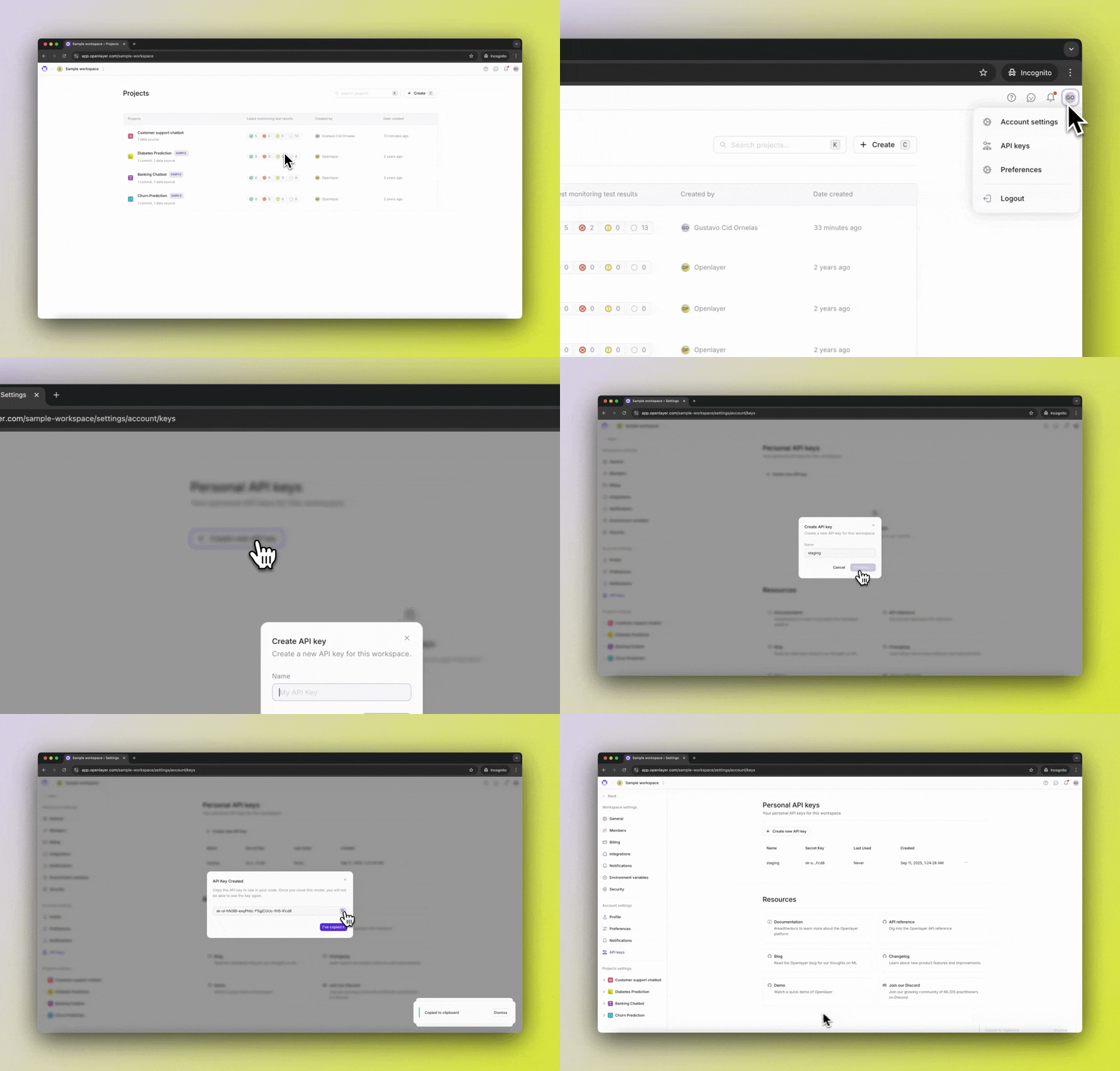
1. In the Openlayer app, click your user icon in the top right corner.
2. In the dropdown menu, click "API Keys".
3. To create a new API key, click the "Create new API key" button, and enter a descriptive name.
4. Click **Create** to generate your key.
5. Copy the key and store it securely — you will not be able to view it again.