

Overview
At Openlayer, our number one priority is the security and privacy of our users’ data. Our platform is designed with best-in-class security measures to ensure your data is safe and secure at every layer. This includes state-of-the-art encryption, safe and reliable infrastructure partners, and independently verified security controls.Authentication Options
Openlayer provides multiple secure authentication methods:- Email and Password: Standard authentication with strong password requirements
- Google SSO: Single Sign-On with Google Workspace accounts
- SAML SSO: Enterprise-grade Single Sign-On with your identity provider (IdP)
- Multi-factor Authentication (MFA): Add an extra layer of security with authenticator apps and recovery codes
Workspace security settings
Workspace admins manage the settings below under Workspace settings → Security.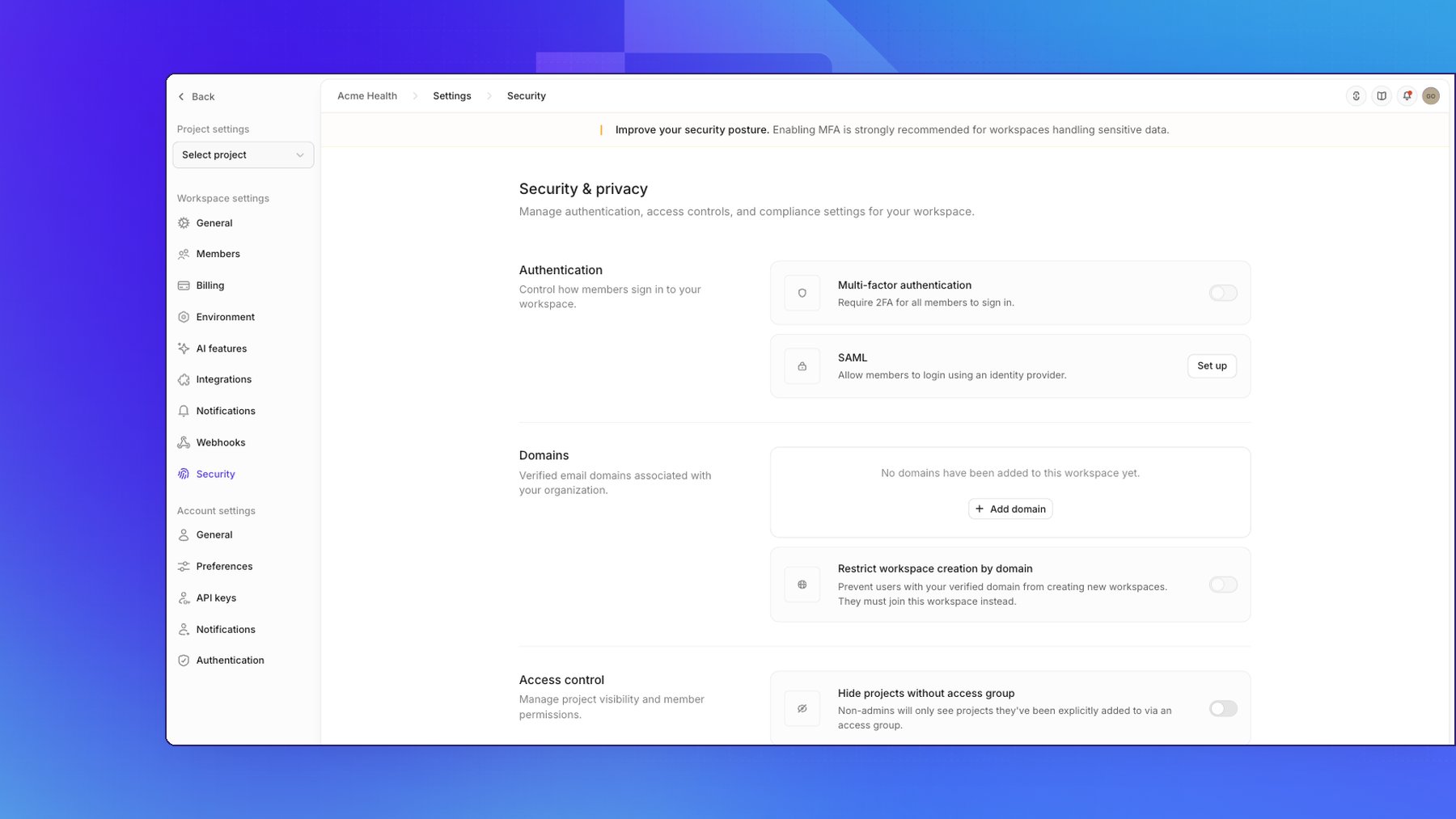
Verified domains
Add the email domains your organization owns and verify them from the Domains section. A verified domain tells Openlayer which email addresses belong to you, which is what the workspace creation control below acts on.Restrict workspace creation by domain
Once you have a verified domain, turn on Restrict workspace creation by domain to stop people with an email address on that domain from creating new workspaces of their own. They join your existing workspace instead. Use it to keep an organization on one governed workspace rather than a scatter of unmanaged ones.Hide projects without access group
Under Access control, Hide projects without access group limits non-admins to the projects they have been explicitly added to through an access group. Admins continue to see everything. This is off by default, which means every workspace member can see every project unless an access group restricts it.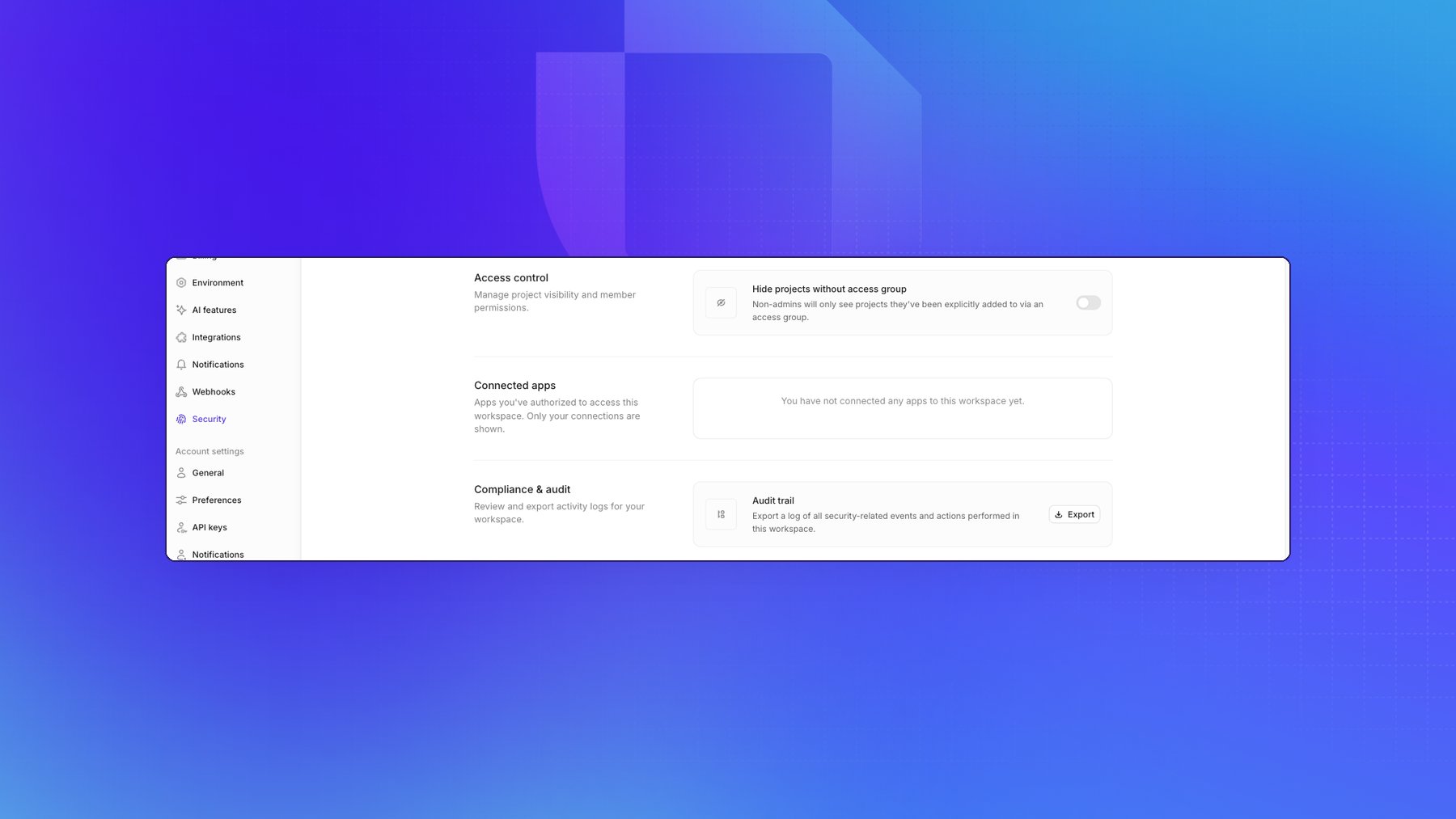
Connected apps
Connected apps lists the applications you have authorized to reach this workspace on your behalf, such as the Openlayer MCP connector. Each connection is granted either full or read-only access, and read-only caps what it can do at the level of a Viewer no matter your own role. The list shows your own connections only. Revoke one to cut off its access immediately.Audit trail
Under Compliance & audit, Export produces a CSV of the security-related events and actions performed in the workspace, optionally limited to a time range. The export runs in the background and is available to workspace admins. Reach for it when an auditor asks who changed what, including a project’s PII redaction settings, or to review directory sync activity.Certifications
Openlayer is SOC 2 Type II compliant. To receive a copy of the report, email security@openlayer.com.Report a Vulnerability
You can read more about reporting any suspected security issues, what’s in scope for reports and other guidelines on our responsible disclosure page.FAQ
Who is your cloud infrastructure provider and what region is your instance located?
Who is your cloud infrastructure provider and what region is your instance located?
We use Amazon Web Services. Openlayer offers United States and
European Union data regions. The United States data region is hosted in
AWS US West 2. Choose your region when you log in or sign up. See Data
regions for the regional hosts and sign-in steps.
Is my data encrypted?
Is my data encrypted?
All communication outside our cloud environment is encrypted. In addition,
our databases are encrypted at rest.
Do you offer role-based access control (RBAC)?
Do you offer role-based access control (RBAC)?
Yes. Every workspace member is assigned one of four roles: Admin,
Member, Member Restricted, or Viewer. Each role grants a
different level of access, from full workspace control (Admin) to read-only
visibility (Viewer). See Roles and
permissions for full details and a
permission matrix.
Can I deploy Openlayer on-premise?
Can I deploy Openlayer on-premise?
Yes, you can self-host Openlayer with a single command. Reach out to us at
sales@openlayer.com for instructions.
Do you support SAML SSO for enterprise authentication?
Do you support SAML SSO for enterprise authentication?
Yes, Openlayer supports SAML SSO with all major identity providers. This
allows your organization to authenticate users through your IdP, providing
enhanced security and a streamlined login experience. See our SAML SSO
documentation for setup instructions.