Block or redact PII, stop prompt injection, and screen for unsafe content, on requests and responses
Guardrails inspect traffic in real time and act on it. They catch sensitive data and attacks before
a request reaches a provider or a response reaches a user. This is the gateway’s enforcement at the
content level, alongside usage limits.
On the Content guardrails page under Policies, add a guardrail and answer four questions:
Who is this guardrail for? A group, a user, or one API key. The group picker also
offers No group, for keys with no group assigned.
What to scan for? One of the three types above.
At what stage should the guardrail run?Input scans requests on their way in, Output
scans responses on their way out, and Both scans both directions. Prompt injection offers
Input only.
Guardrail parameters, which depend on the type. See Type settings.
There is no separate block-or-redact setting: what happens on a violation follows from the
parameters. PII is the only type that can redact, and it does so for the entities you put in its
redact list.Guardrails stack. Every guardrail whose target covers the calling key runs, so a key can be screened
by a guardrail of its own and one on its group at the same time.A guardrail’s model loads the first time a request needs it, not when you save the guardrail. Right
after you add or change one, the first requests it covers can get a 503 with a Retry-After
header while the model loads; retrying after a few seconds succeeds.
Output guardrails don’t run on streamed responses. When a request streams,
each token reaches the caller the moment the provider produces it, so there’s
no complete response to inspect before it’s delivered. To screen a response,
send the request without streaming. Input guardrails still apply, since they
run before the request is forwarded, whether or not the response streams.
Content guardrails don’t run on embeddings. Redacting input documents would
change their vectors, and embedding responses contain vectors rather than
text. A guardrail that would otherwise cover the request appears as a
skipped event in its Openlayer trace.
PII takes two entity lists, from universal types like emails, phone numbers, and credit card
numbers to country-specific identifiers:
Blocked entities: a request containing any of these is rejected with 422.
Redacted entities: matched spans are replaced with placeholders before the request is
forwarded.
A confidence threshold sets how sure the detector must be before it acts; raise it to cut false
positives.Prompt injection takes a confidence threshold and always blocks. It scores only the user’s turns:
system prompts are yours to write and routinely contain phrasing a classifier reads as an injection,
and earlier assistant turns and tool results aren’t user-controlled.Content safety scores text across six categories, all monitored by default: Toxic,
Severe toxic, Obscene, Threat, Insult, and Identity hate. Pick the categories to
monitor and a threshold, the per-category probability above which content is rejected with
422. Raising it means fewer false positives and more false negatives. It fires when any monitored
category clears the threshold, on every role rather than user turns alone. There is no redaction
path, so the outcome is block or allow.
The guardrails table shows each guardrail’s stage, what it does on a violation, how many violations
it has had in the last 7 days, and when it last triggered. The gateway records this metadata, not the
underlying text, so the log of violations never leaks the data you’re protecting.
A guardrail created before per-entity actions existed may show Log only,
meaning it records violations without acting on them. You can filter the table
by it, but new guardrails can’t be set that way.
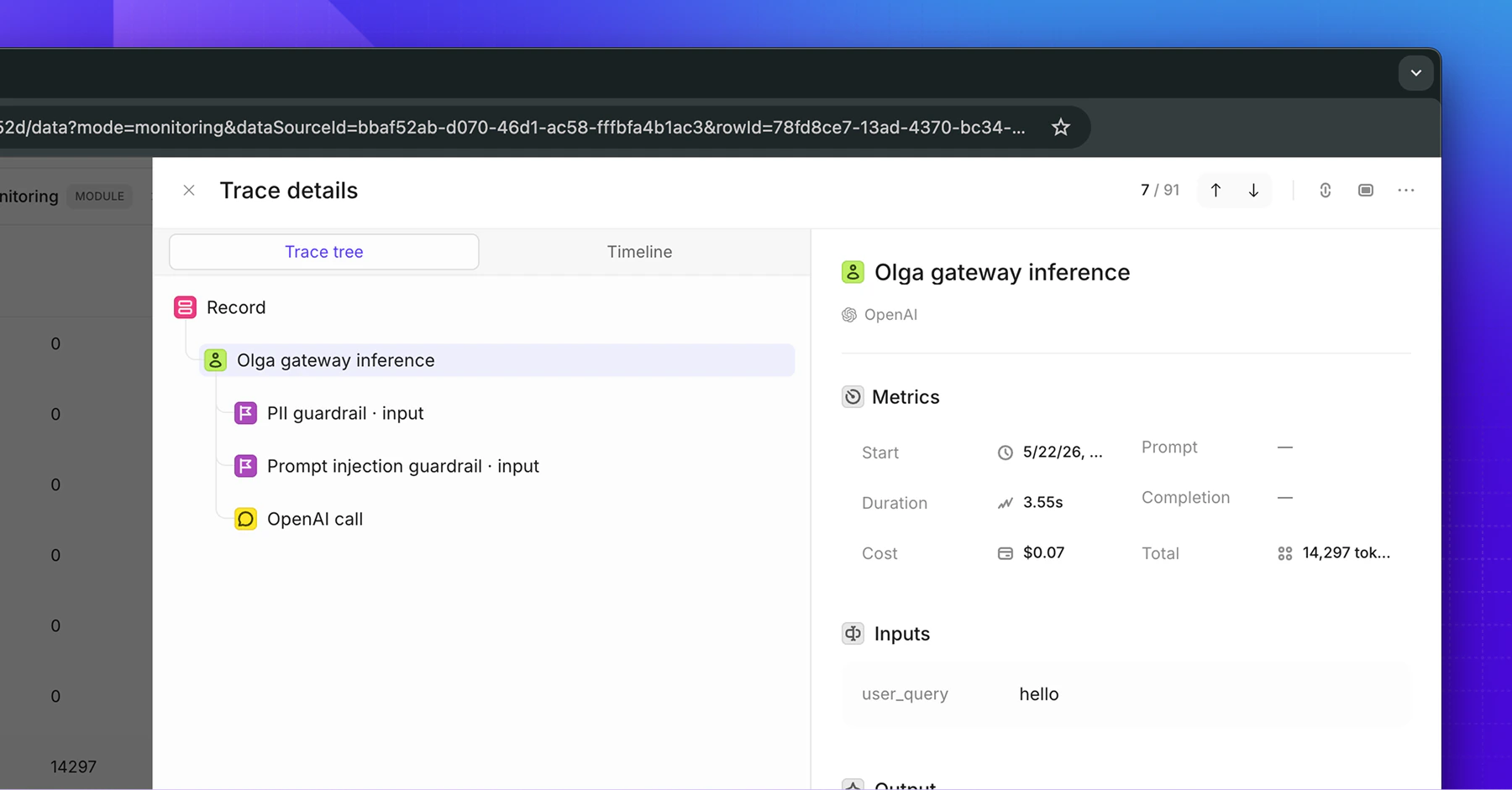
Every violation also appears in the matching Openlayer trace as a guardrail
step, so you can review it in the full context of the request.
Was this page helpful?
Assistant
Responses are generated using AI and may contain mistakes.