

How it works
1
Choose a framework
Openlayer provides pre-built frameworks for major governance standards — EU AI Act, ISO 42001, OSFI E-23, AIUC-1, TRAIGA, Brazil AI Act, and more. Each one comes pre-mapped to the standard’s text, so you don’t have to interpret requirements yourself.If none of the built-in frameworks fit, you can build a custom one from Openlayer’s rule library.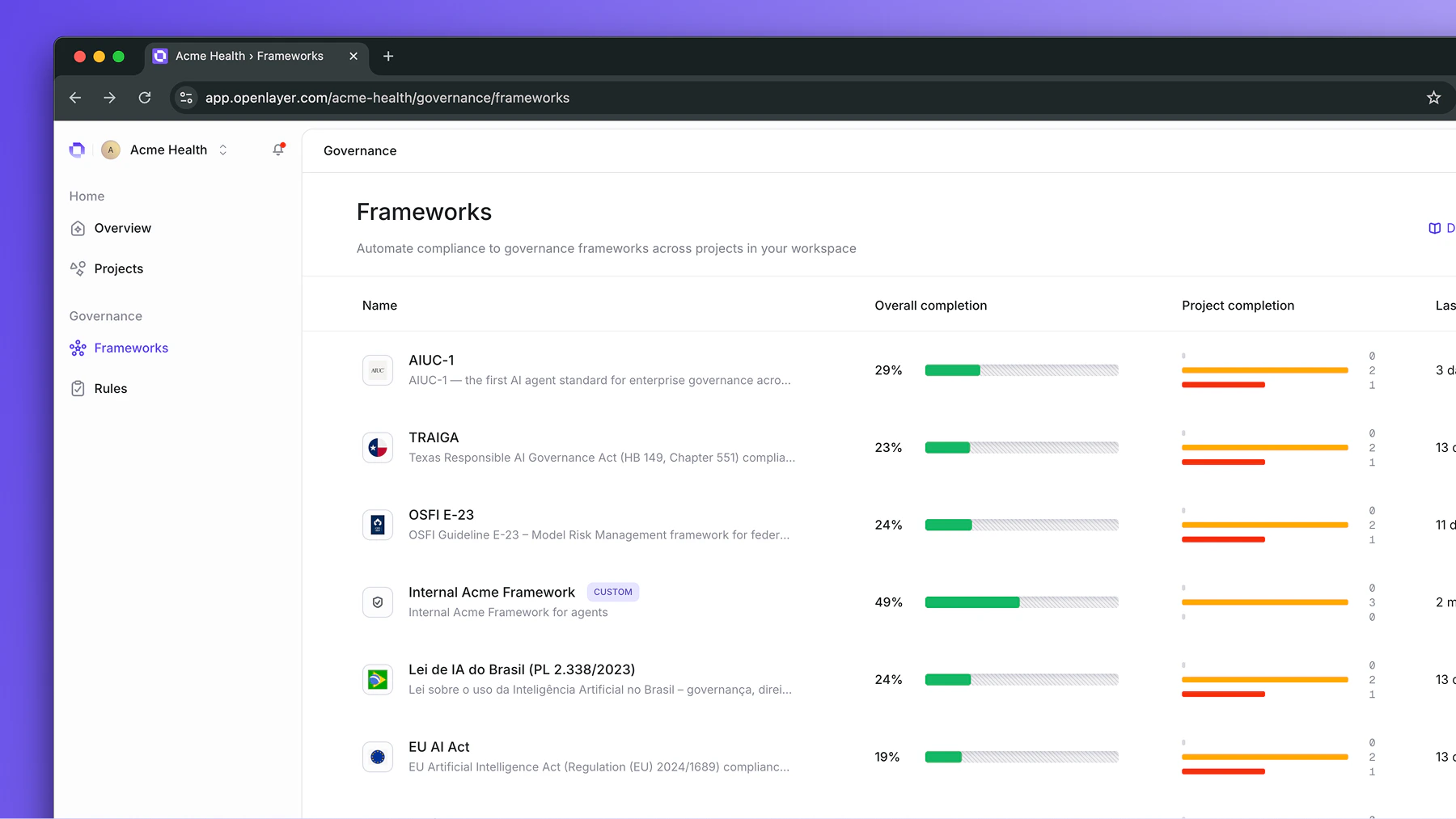
2
Scope it to your projects
Activate a framework and assign it to the projects that should follow it — all projects, high-risk ones only, or any subset filtered by risk level, approval status, or task type.Each scoped project immediately receives a compliance checklist.
3
Complete the requirements
Frameworks contain two types of rules: platform rules and evidence-based rules.Platform rules are satisfied automatically as your team uses Openlayer. For example,
capturing production traces, running tests, integrating with CI/CD. Evidence-based
rules require uploading documents or providing links, such as model cards or security policies.Compliance becomes a byproduct of good engineering practices.
4
Track progress
Governance owners can monitor compliance status across the entire workspace, seeing
which projects are on track, which are falling behind, and who is responsible for each rule.Project teams see their own checklist and can complete requirements without leaving the project.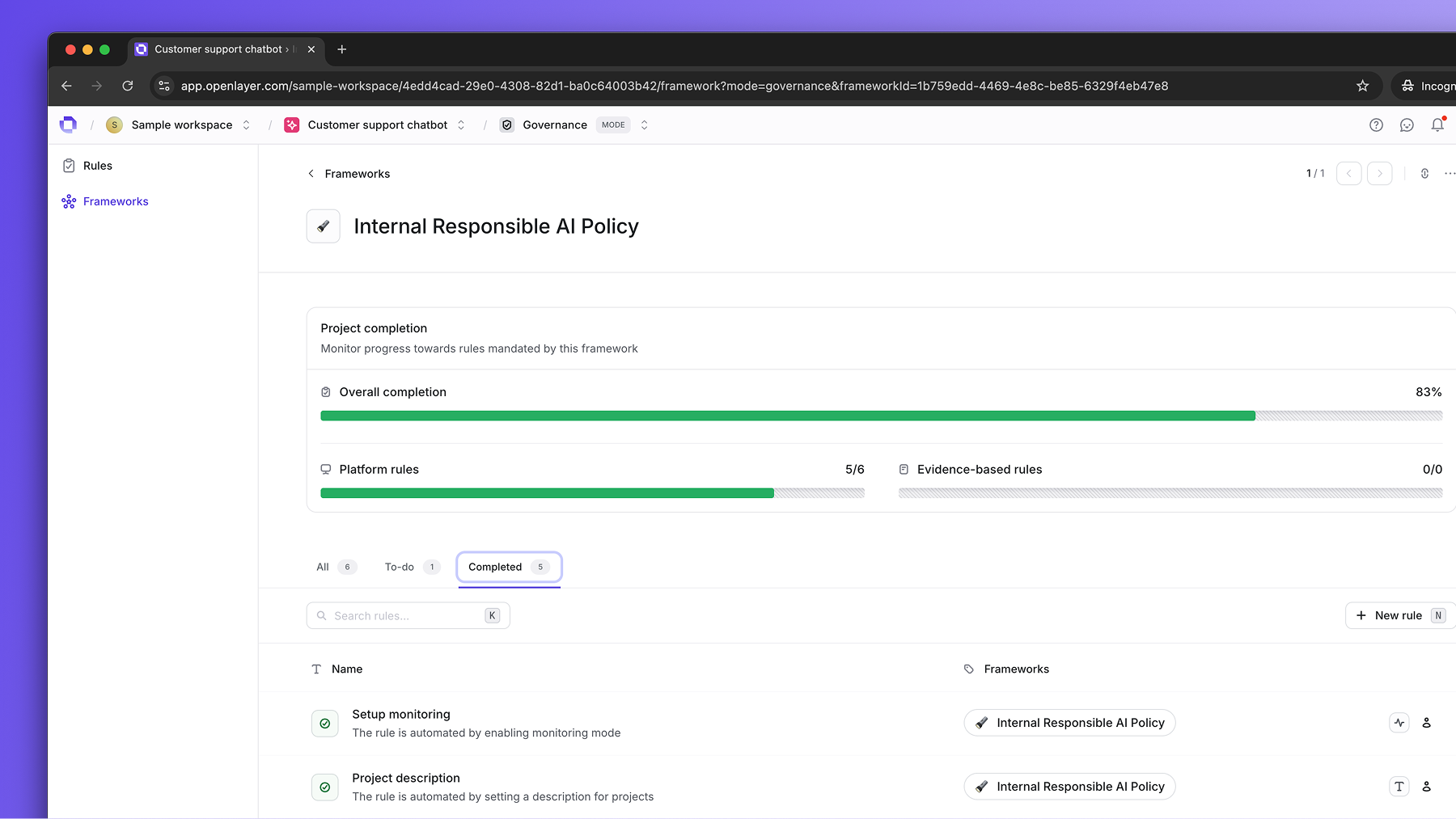
Next steps
To get started, head to Activate a built-in framework to apply an existing standard to your projects. If you need to define custom requirements instead, see Build a custom framework.FAQ
What's the difference between built-in and custom frameworks?
What's the difference between built-in and custom frameworks?
Built-in frameworks come pre-configured with rules already mapped to a specific standard (EU AI Act, ISO 42001, etc.). Activating one requires no setup beyond scoping it to your projects.Custom frameworks let you define your own rules from scratch using Openlayer’s rule
library. This is useful for internal policies or standards not yet covered by a built-in framework.
How do platform rules get completed?
How do platform rules get completed?
Platform rules are satisfied automatically as your team uses Openlayer. For example, when you instrument your app and start capturing production traces, rules like “Capture production traces” and “Enable monitoring notifications” are marked complete. No separate governance action is needed.See Platform rules for the full list.
Do all projects need to comply with every rule?
Do all projects need to comply with every rule?
No. When you activate a framework, you choose which projects it applies to using
filters — risk level, approval status, or task type. Only the scoped projects
receive the compliance checklist for that framework.
What evidence does Openlayer produce for auditors?
What evidence does Openlayer produce for auditors?
Openlayer captures compliance evidence as your teams work:
- Continuous test results — every test run is recorded with a timestamp, pass/fail status, and the specific data points that triggered any failures
- Trace logs — a full record of every production request, including inputs, outputs, latency, cost, and intermediate steps
- Development history — test results tied to git commits, showing systematic evaluation of every system change before it reaches production
- Uploaded evidence documents — model cards, security policies, and other artifacts stored against specific rules with upload timestamps