Create a usage limit
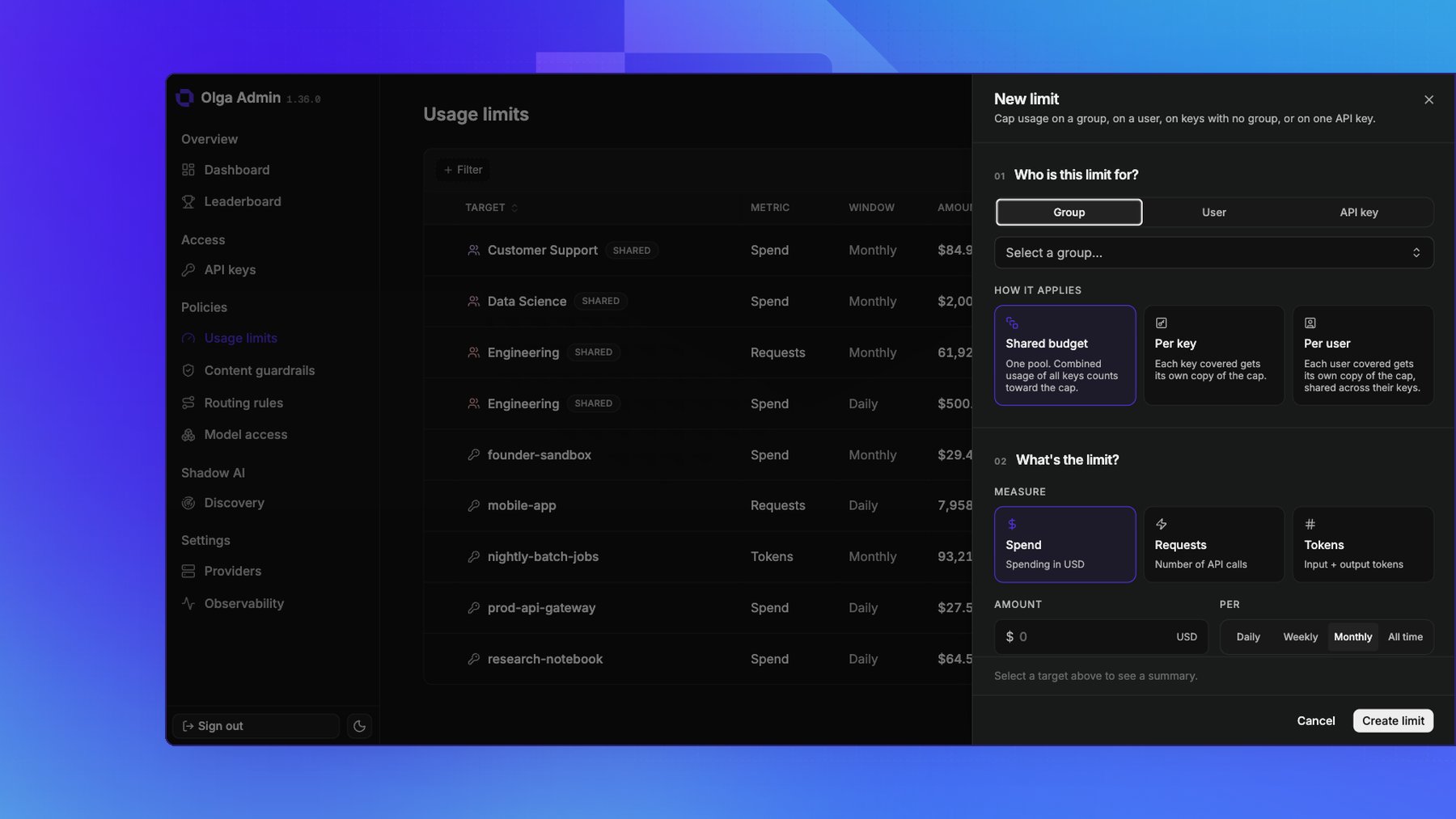
On the Usage limits page under Policies, add a limit and fill in two sections. Who is this limit for?- A group, a user, or one API key. The group picker also offers No group, for keys with no group assigned.
- How it applies: whether the keys the target covers share one budget or each get their own. See One budget or many.
- Measure: Spend (USD), Requests (number of API calls), or Tokens (input plus output).
- Amount: the number to cap at, such as
500for a $500 limit. - Per: how often the cap resets.
- Daily resets at midnight UTC.
- Weekly resets Monday UTC.
- Monthly resets on the 1st.
- All time never resets.
What happens at the limit
Once usage in the current window reaches the threshold, every further request the limit covers is refused with 429 Too Many Requests and is not sent to a provider. Usage starts fresh at the beginning of the next window. Callers see the 429 right away, so build a fallback or a clear error message into any app that might hit a cap.One budget or many
A limit on a group, a user, or keys with no group covers several keys at once. How it applies decides whether they share one budget or each get their own:
On a group, a monthly limit of $500 is one pool of that size at Shared budget, and that much for
every key at Per key.
Per user and Per key act as inherited defaults rather than a set of individual limits: no
extra rows are created, and membership is resolved when a request arrives, so a key added to the
group later comes under the same cap with nothing to configure. Keys with no user ID are their own
budget under Per user rather than pooling together.
Both dividing options need a target with something to divide, so a limit on a single key is always
Shared budget, and Per user is offered only when the target spans more than one user.
How limits stack
Every limit whose target covers the calling key is enforced. A key can be covered by a limit of its own, one on its user, and one on its group at the same time, and a request is refused as soon as any of them is reached. See Groups.Bake limits into invites
You can attach usage limits to an invite, so a new key arrives already capped before its first request.See what a limit would have cost
While you’re filling in a limit, the drawer estimates what it would have saved had it been in place, by replaying the target’s usage from the past year against the threshold, window, and scope you’ve chosen. Use it to check a threshold before you commit to it: a limit that would have saved nothing is probably set too high, and one that would have cut heavily into normal traffic is set too low. The estimate follows the same pooling rules as enforcement, so switching between Shared budget and Per key shows how differently the same number behaves. The table shows each limit’s option as a pill, so you can tell a shared cap from a divided one at a glance.Watch usage against a limit
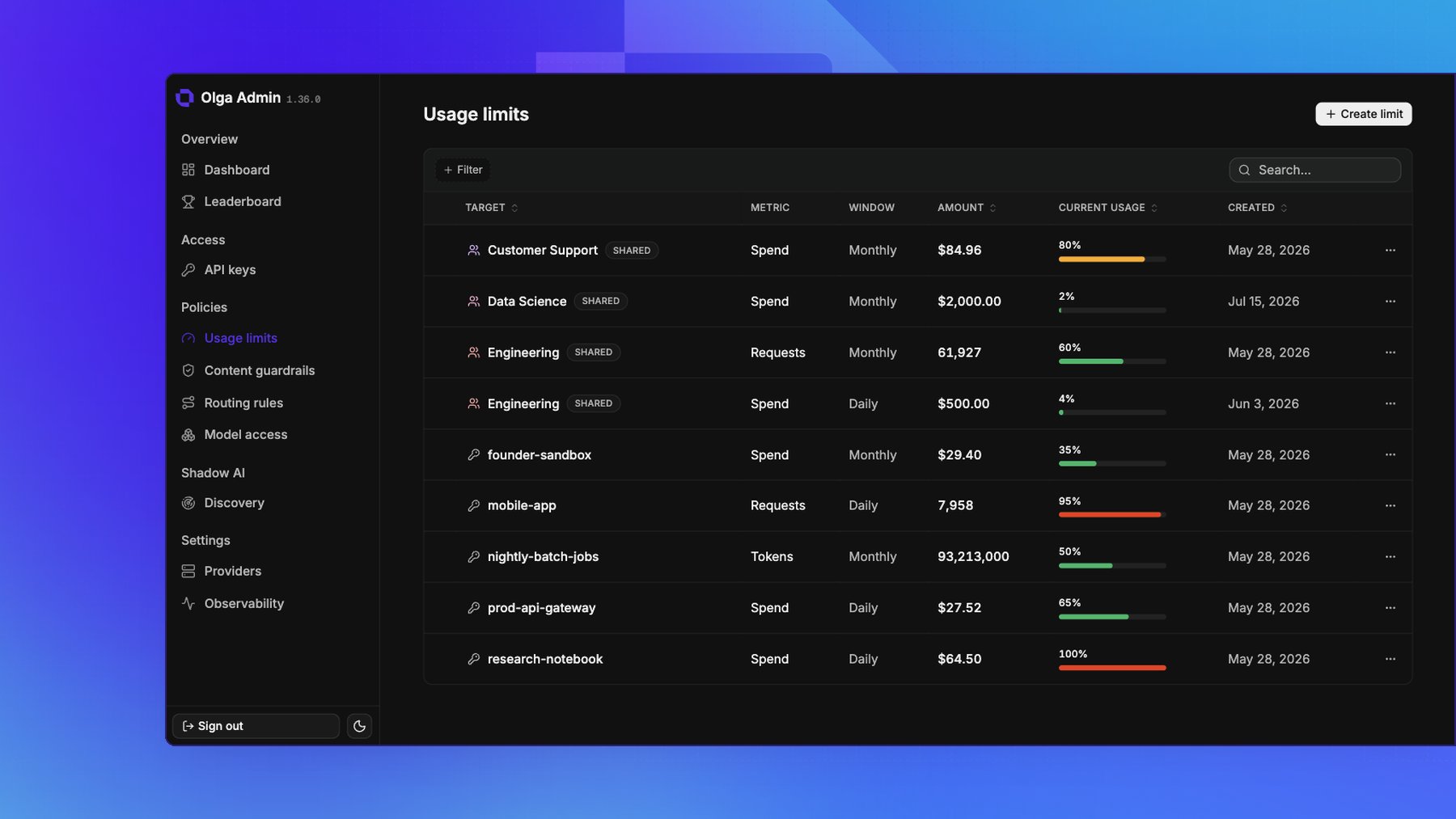
The Usage limits page shows each limit’s current usage against its threshold. Limits that divide into several budgets show the spread across them rather than one figure, since there is no single current usage to report. See Usage & cost for the full picture.