

sk-olga-. The gateway stores only a hash of it, so a key can’t be
recovered after it’s created. If one is lost or leaked, delete it and issue a new one.
Create a key
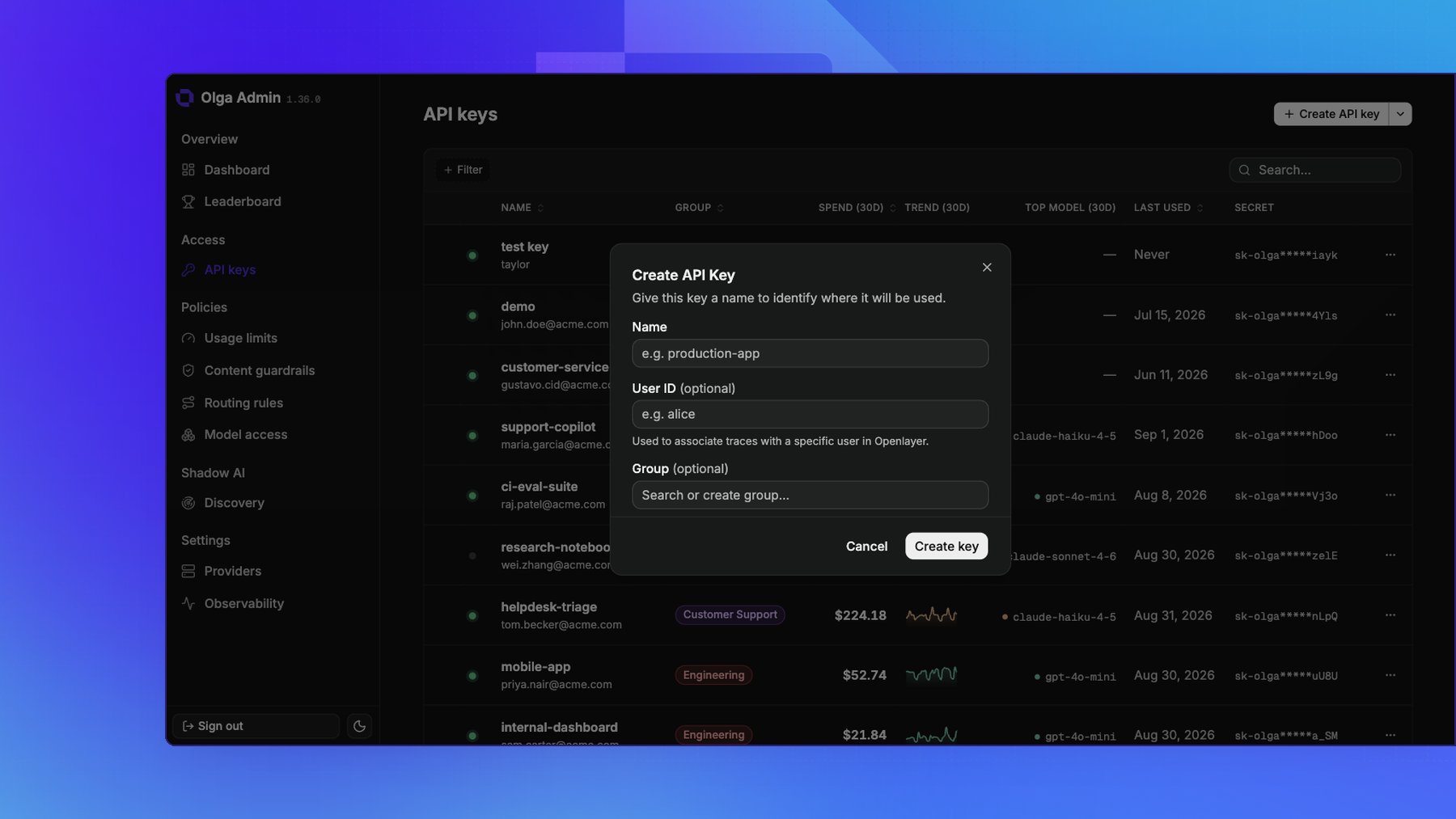
On the API keys page, create a key and fill in:- Name: where the key will be used, such as
production-app. Required. - User ID (optional): associates this key’s traces with a specific user in Openlayer. See Observability.
- Group (optional): groups the key so it shares a group’s usage limits and guardrails. See Groups.
Use a key
Send the key with each request, either asAuthorization: Bearer sk-olga-... or as
X-Api-Key: sk-olga-.... Standard OpenAI and Anthropic SDKs send the Authorization header for
you, so pointing a client at the gateway is enough. See
Make your first request.
Rotate a key
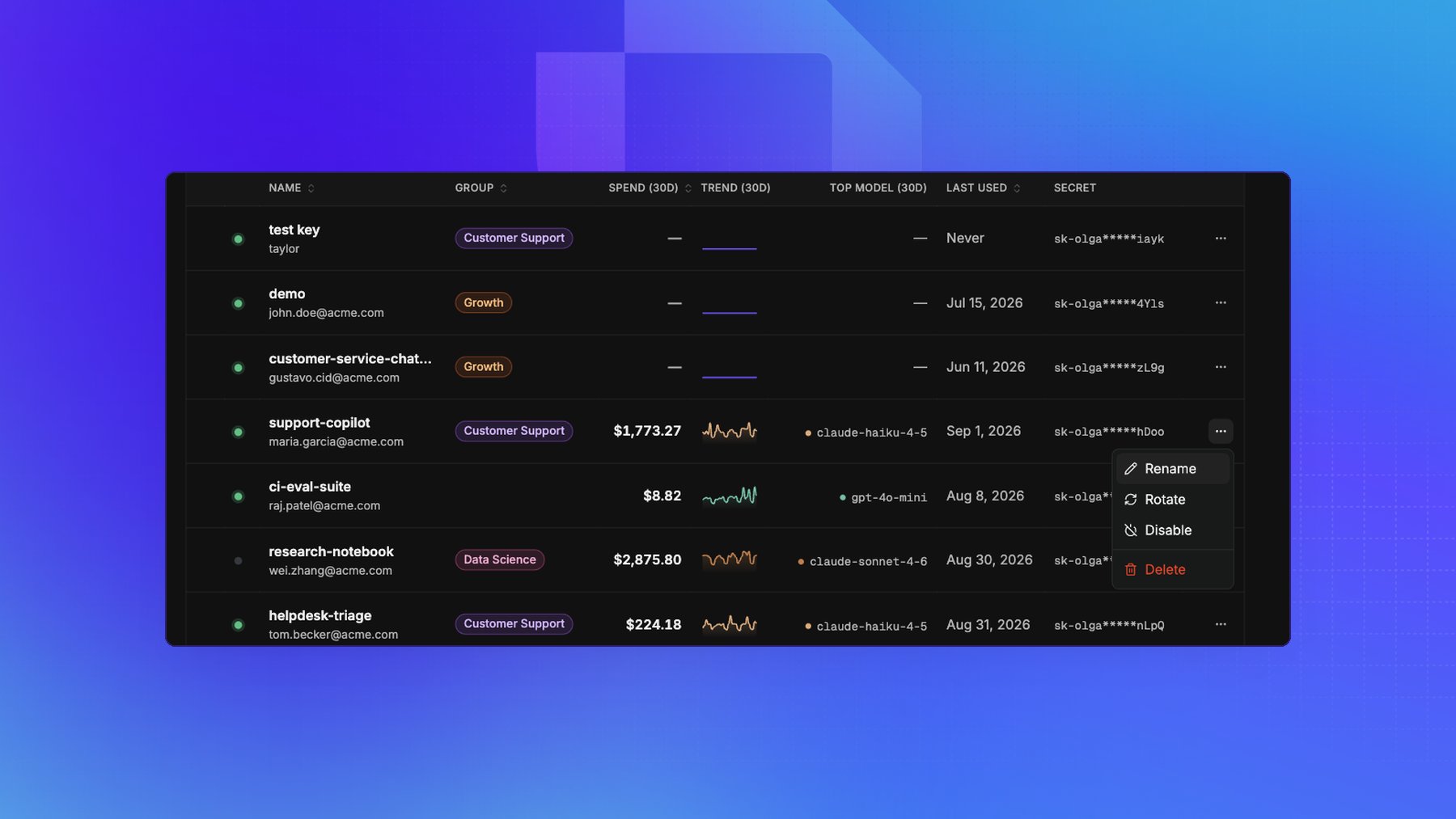
Rotate secret, on a key’s detail page, issues a new secret for an existing key. Rotate in the key’s row menu does the same thing. Everything except the secret is preserved: the key keeps its name, user, group, enabled state, usage history, and every usage limit, guardrail, and model access rule aimed at it. The old secret stops working the moment you rotate, with no overlap window, so rotation is the response to a leaked key rather than a scheduled key change. Update the app before or immediately after rotating. You can rotate a disabled key, which is what makes the incident path work: disable the key to stop the traffic, rotate it, then re-enable it once the new secret is deployed.Disable or delete a key
- Disable turns a key off without removing it. Requests using it are rejected until you re-enable it. Use this to pause a key or investigate suspicious traffic.
- Delete removes the key for good. Requests using it return
401, and it can’t be restored.
Track a key’s usage
Open any key to see its requests, tokens, and estimated cost over time, plus how much of its traffic was rerouted and what that saved. Each key’s detail page also has a Model access section for the rules that cover that key. See Usage & cost and Model access.Everything on this page is also available on the gateway’s admin API, so you
can automate key issuance and revocation.