

You’ll need the admin portal URL and an admin key. You get both when
we set up your gateway. Don’t have one yet? Reach out to
us and we’ll get one running for your team.
1
Sign in to the admin portal
Open
https://your-gateway.example.com/admin and enter your admin key.2
Connect a provider
Go to Providers under Settings and add one: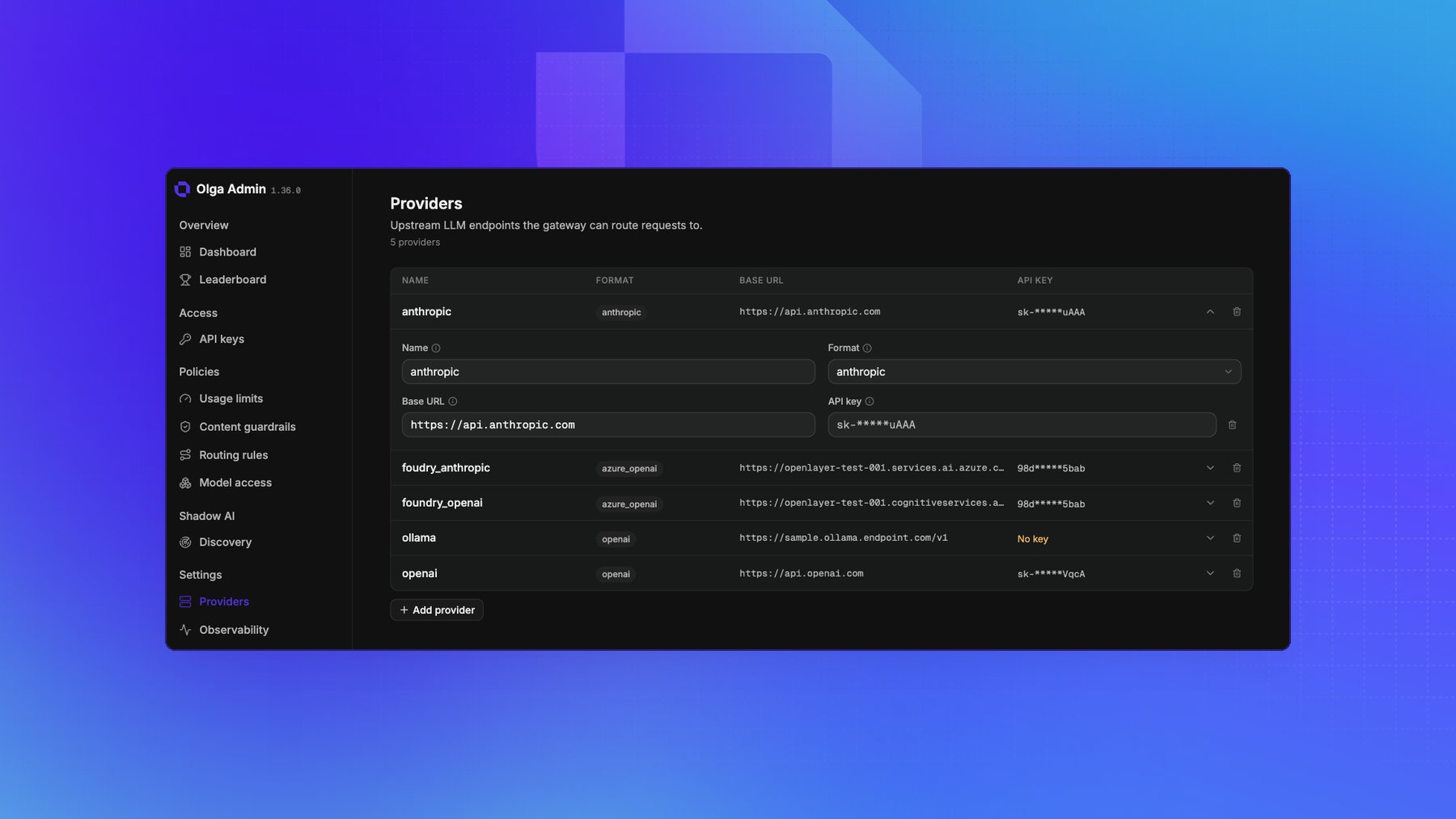
- Name: a label you choose, such as
openai. - Base URL: the provider’s API root, such as
https://api.openai.com. - Format: one of
openai,anthropic, orazure_openai. - API key: the provider’s secret. It’s encrypted before it’s stored, and the page shows only a hint of it afterwards.
3
Create an API key
Go to API keys and create a key. You can give it a name, and attach a user or a group so you
can track and govern it later.Copy the key when it appears. It’s shown only once and starts with 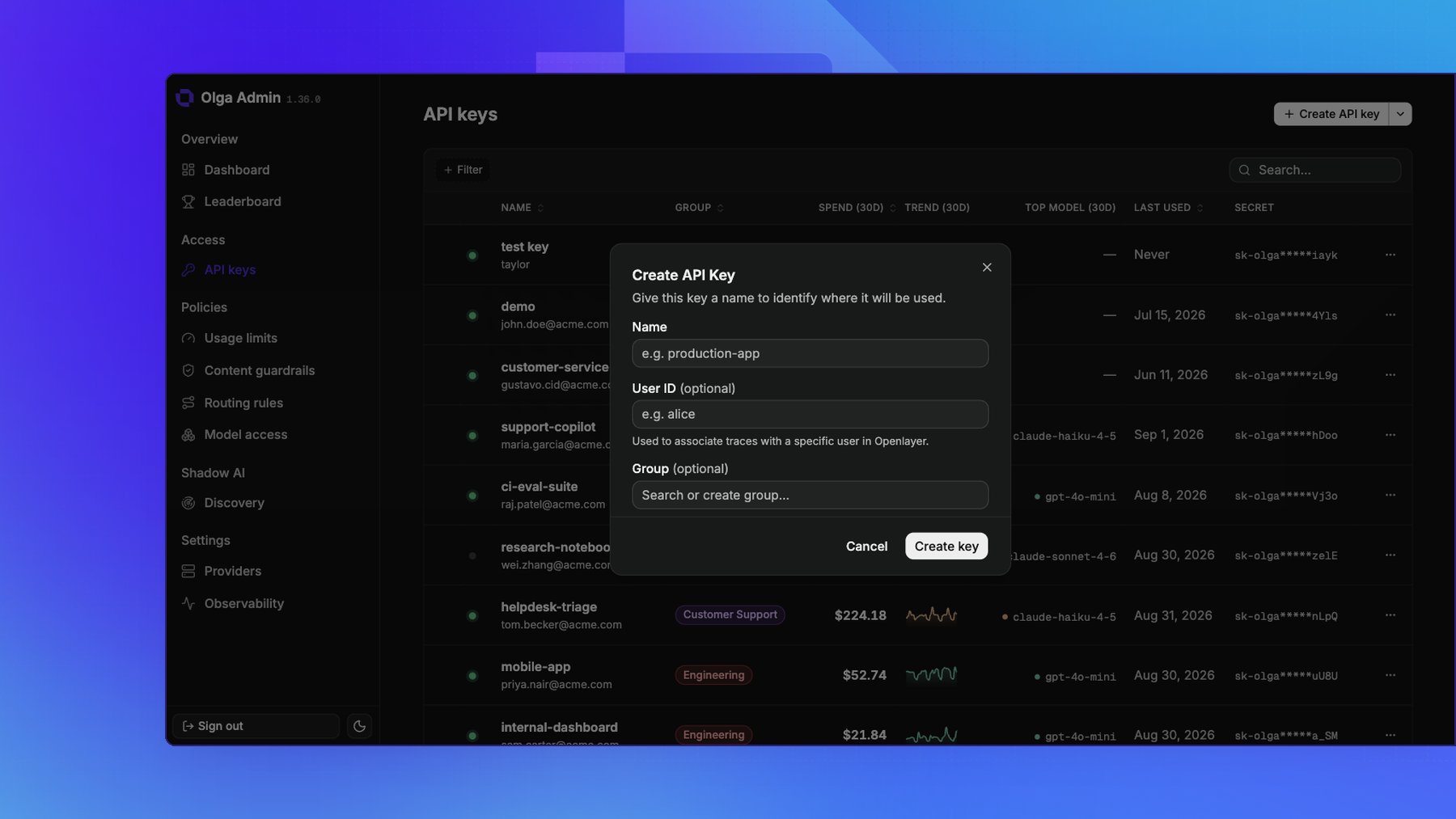
sk-olga-. Store it
somewhere safe.Hand it off
Give the developer two things:- The gateway base URL, such as
https://your-gateway.example.com/v1. - The API key you just created.
Where configuration lives
Almost everything you administer lives in the portal and takes effect at runtime, with no redeploy:
Only deployment-level settings are environment variables on the gateway host: the admin key, the
encryption key that protects stored secrets, and feature toggles. Those are set at deploy time, so
coordinate with us to change one.
Older deployments seeded providers, routing, and observability from a
config.yaml file. That file is now a one-time import, read on first boot and
ignored afterwards, and it will be removed. Edit these resources in the portal
instead.Next steps
Now that traffic can flow, decide what the gateway should enforce on it.Set usage limits
Cap spend, requests, or tokens per key, user, or group.
Add guardrails
Block or redact PII, stop prompt injection, and screen for unsafe content.