

Add a provider
On the Providers page under Settings, add a provider and fill in:- Name: a label you choose, such as
openai. Routing rules refer to providers by this name. - Base URL: the provider’s API root, such as
https://api.openai.com. - Format: the wire protocol and auth the provider expects. One of
openai,anthropic, orazure_openai. - API key: the provider’s secret. Enter it here, in the portal.
- API version (Azure only): appended to each request as
?api-version=....
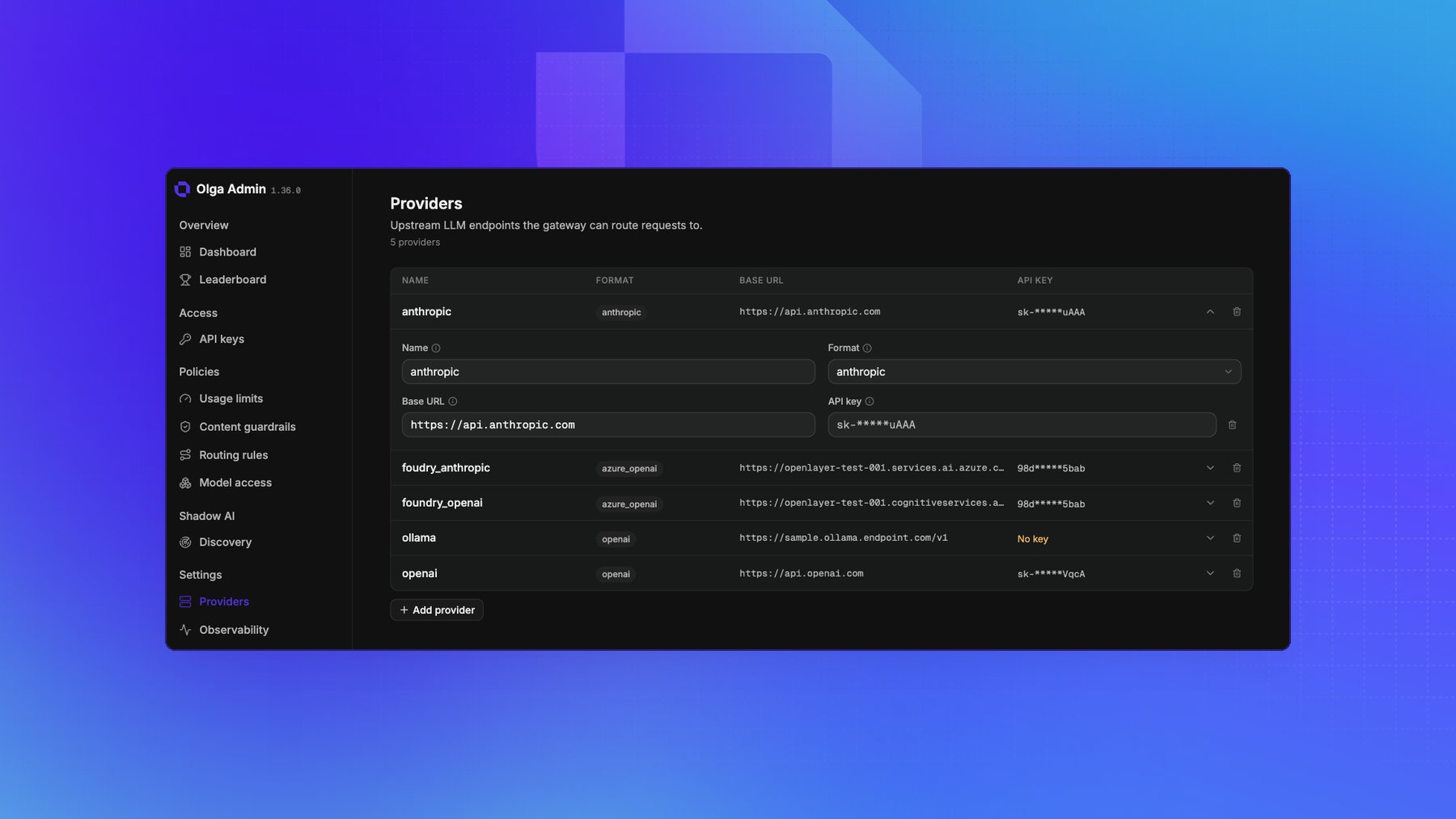
Provider keys are encrypted before they’re stored, and the portal never shows
one again after you save it. The page displays a hint instead, the first and
last few characters, so you can tell which key is in place. To replace a key,
enter the new one over it.
Supported formats
azure_openai uses the same wire protocol as openai, with an API version appended to every
request.
Default routing
With no routing rules, requests pass through by format: an OpenAI-style request goes to youropenai provider, and an Anthropic-style request goes to your anthropic provider. To send traffic
anywhere else, see Route requests.
Azure and Microsoft Foundry
Point the Base URL at the resource path the model lives under, including its prefix (for example.../openai for OpenAI models or .../anthropic for Anthropic models). Use the azure_openai
format with an API version for OpenAI models, or the anthropic format for Anthropic models hosted
on Foundry.
For embeddings, the gateway calls
.../openai/deployments/<model>/embeddings?api-version=..., using the model after any routing
override as the deployment name. If the Base URL ends in /openai/v1, it calls
.../openai/v1/embeddings instead and sends the deployment as model in the request body.