

How rules work
On the Routing rules page under Policies, add a rule. Each rule has three parts:- Applies to: whose traffic it governs. One API key, a user, a group, keys with no group, or Unclaimed, the fallback that decides every request no more specific rule claims.
- Match: which of that traffic it covers.
- Incoming format:
openaioranthropic. Leave blank to match any. - Models: one or more exact model names. Leave blank to match any.
- Incoming format:
- Target: where matching requests go.
- Provider: a connected provider to send to.
- Model: an optional model to use instead of the one in the request.
Which rule wins
A request is forwarded to exactly one provider, so routing rules can’t stack the way usage limits and guardrails do. Two things decide the winner. First, the narrowest target wins. The gateway looks for a rule in this order and stops at the first group that has one:- A rule for the calling API key
- A rule for its user
- A rule for its group, or for having no group
- The Unclaimed fallback
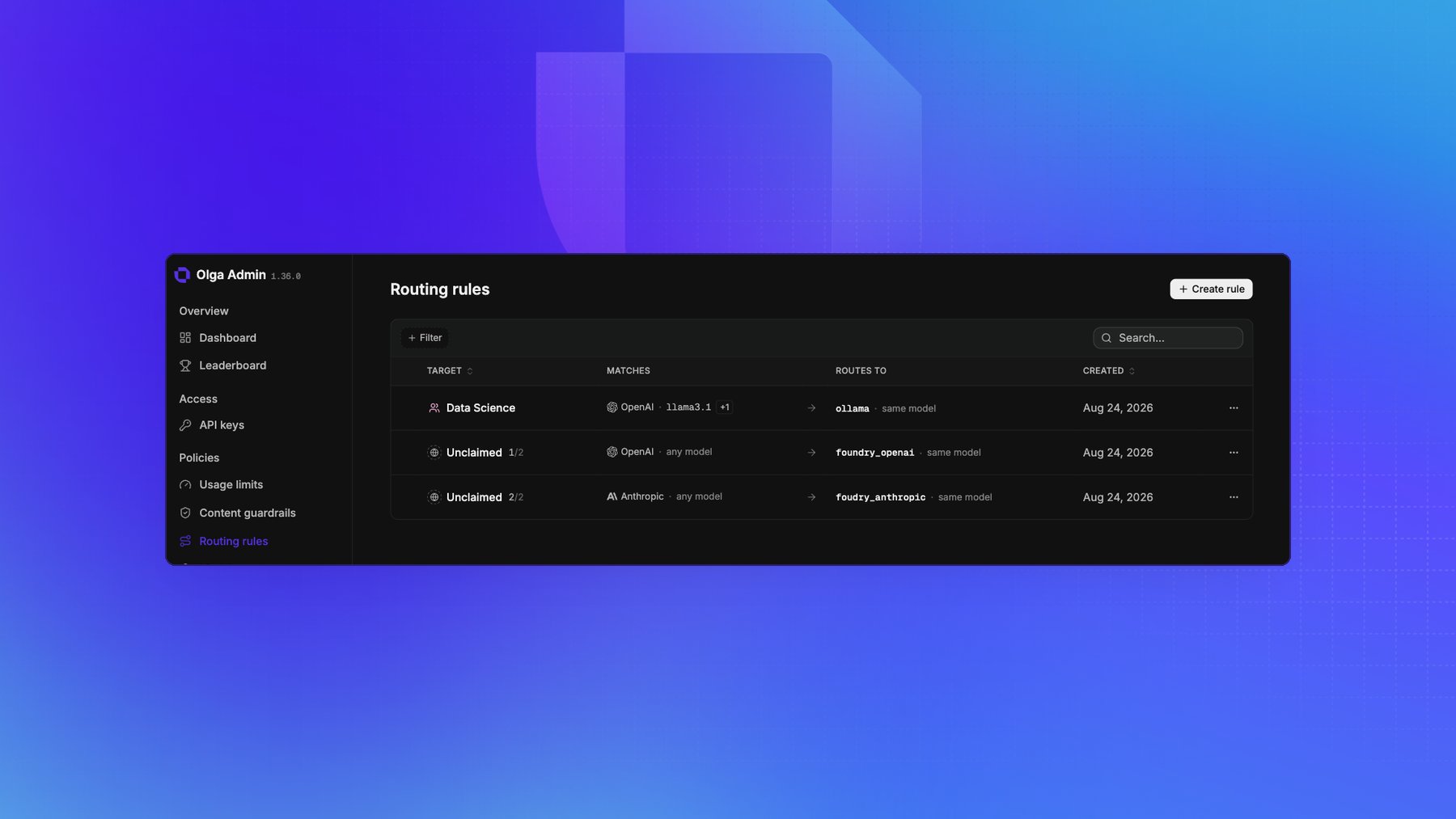
Example
For a group namedresearch:
- Match incoming format
openai, modelsgpt-4o. Target providerfoundry_openai, modelmy-gpt-4o-deployment. - Match incoming format
anthropic. Target providerfoundry_anthropic.
research with a rule of its own
ignores both.
Route embeddings
Theopenai incoming format covers /v1/responses, /v1/images/generations, and
/v1/embeddings. A catch-all openai rule therefore claims embedding requests too. If that rule
overrides the model with a chat deployment, the embedding call goes to the wrong deployment.
Put a static rule above the catch-all rule that matches the embedding model name, such as
text-embedding-3-small, and targets an openai or azure_openai provider. For Azure, set the
rule’s model override to the embedding deployment name when it differs from the model name.
Embeddings aren’t translated between provider formats. Routing one to an anthropic provider or a
model-based routing rule returns 503 EndpointNotRoutable, with a message identifying what to
change.
Common uses
- Pin a provider: send all traffic to one upstream, whatever the caller targets.
- Swap a model: map a public model name onto your own deployment name.
- Mix providers: route some models to one provider and the rest to another.
- Carve out one team or app: give a group or a key its own upstream, and leave everyone else on the Unclaimed fallback.
Routing decides where a request goes. Which models a key may ask for in the
first place is model access, enforced before routing
on the name the client sent. A routing rewrite isn’t checked against it.